





We have all experienced it: you sit down at your workstation ready to tackle a difficult project, but your feet immediately become tangled in a web of power cords. When you look up, another chaotic knot of wires is dangling behind your monitor. Messy desk cables are not just a cosmetic failure; they represent a significant physical tripping hazard and a continuous source of subconscious cognitive drain. In this guide, I will explain the hidden dangers of unmanaged wires and provide a step-by-step solution to permanently eliminate this visual eyesore from your office.
Alex Thornton is a Certified Ergonomics Consultant and Workplace Wellness Specialist. After earning a master’s degree in Human Factors Engineering from Cornell University and certification from the Board of Certification in Professional Ergonomics (BCPE), Alex spent eight years as the lead ergonomics advisor for a Fortune 500 tech company. In 2020, Alex founded “Ergonomics Everyday,” a consultancy that has evaluated over 500 workspaces. You can learn more about their consulting experience on the About Alex Thornton page. Their hands-on experience ranges from advising startups on cost-effective ergonomic solutions to redesigning entire office floors for maximum employee comfort and productivity.
If you’re looking for a starting point to conquer this exact problem, the Minimal Desk Starter Kit includes everything you need for a clean, ergonomic workspace, featuring the premium routing tools necessary to transform your messy desk cables into a streamlined system.
Why Are Messy Desk Cables a Safety Hazard?
Messy desk cables are a critical safety hazard because they create unpredictable loops and snags across the floor, leading directly to slips, trips, and falls. In addition to personal injury, accidentally kicking a taut wire can easily pull expensive laptops, monitors, or hard drives crashing down onto the ground.
Before we implement a solution, we must acknowledge the environment we are trying to control. A cable management system is a combination of tools such as clips, sleeves, and trays used to organize and conceal wires in a workspace. Effectively managing these cables is a crucial element of an ergonomic workstation, which is a workspace configured to support the body’s natural posture, reduce strain, and prevent repetitive stress injuries.
During a workspace audit for a 200-person engineering team, I found that over 25% of the employees had personally experienced a near-miss tripping incident caused by unmanaged power strips and loose ethernet cables resting on the floor beneath their desks.
- Tripping: Loose loops catch on shoes or chair wheels.
- Hardware Damage: Yanked cords destroy USB ports and shatter screens.
- Fire Risk: “Nests” of cables trap dust and insulate hot power bricks.
- Restricted Movement: Fear of unplugging devices prevents users from stretching their legs.
Workplace safety organizations, including OSHA, explicitly cite poor cord management as a primary contributor to office injuries. “Addressing messy desk cables is not merely about aesthetics; it is a fundamental requirement for maintaining a physically safe and operationally secure environment.”
The Psychological Impact of Visual Eyesores
The psychological impact of messy desk cables is rooted in cognitive overload; the brain’s visual cortex perceives a chaotic tangle of wires as complex, unresolved “visual noise.” Because the brain is hardwired to process everything in its field of view, it must expend valuable mental energy actively filtering out this clutter, which rapidly depletes your working memory and spikes your cortisol (stress) levels.

According to research from the Princeton University Neuroscience Institute, physical clutter in your surroundings actively competes for your attention, directly impairing your ability to focus.
When you are trying to write a complex report, but a tangle of black and white cords is draped over your desk edge, your brain is essentially multitasking. This constant, low-grade distraction is a primary driver of the “afternoon slump.”
| Cable State | Visual Impact | Cognitive Result |
|---|---|---|
| Tangled on Desk | High contrast, chaotic lines | Severe distraction, rapid fatigue |
| Drooping Underneath | Peripheral movement hazard | Anxiety about snagging wires |
| Concealed in Sleeve | Single, clean geometric line | Calmness, sustained focus |
To understand the broader implications of this phenomenon across your entire room, read our cross-cluster deep dive: The Psychology of a Clean Desk: Why Clutter Kills Focus.
How Do You Fix the Tripping Hazard?
You fix the tripping hazard caused by messy desk cables by lifting every single wire off the floor and anchoring them to the underside of the desk itself. The most effective method is to mount your power strip directly to the bottom of the desktop using heavy-duty tape, ensuring that all device cords terminate in the air, leaving only one main power cord to drop to the wall outlet.
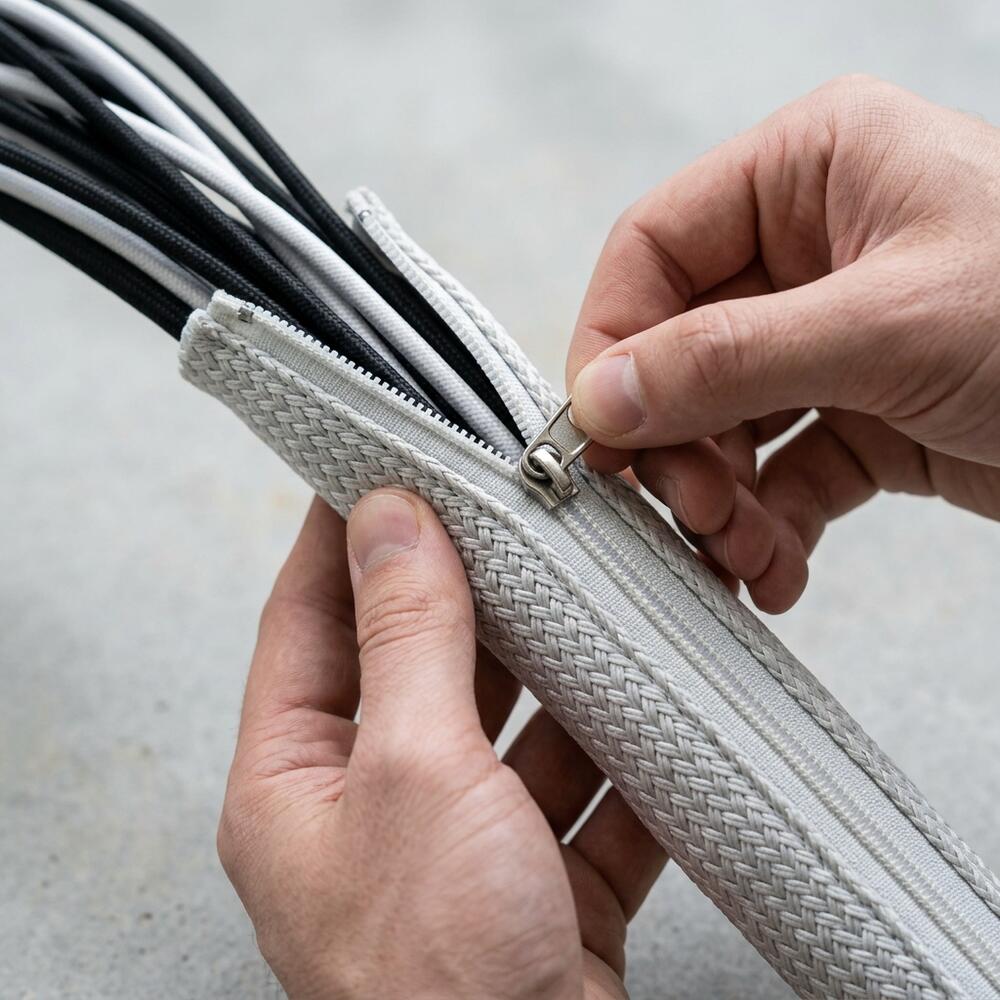
By moving the power hub from the carpet to the wood, you instantly eliminate 90% of the hazard. You can then use a zipper cable sleeve to wrap that final, single cord dropping to the wall, making it highly visible and neat.
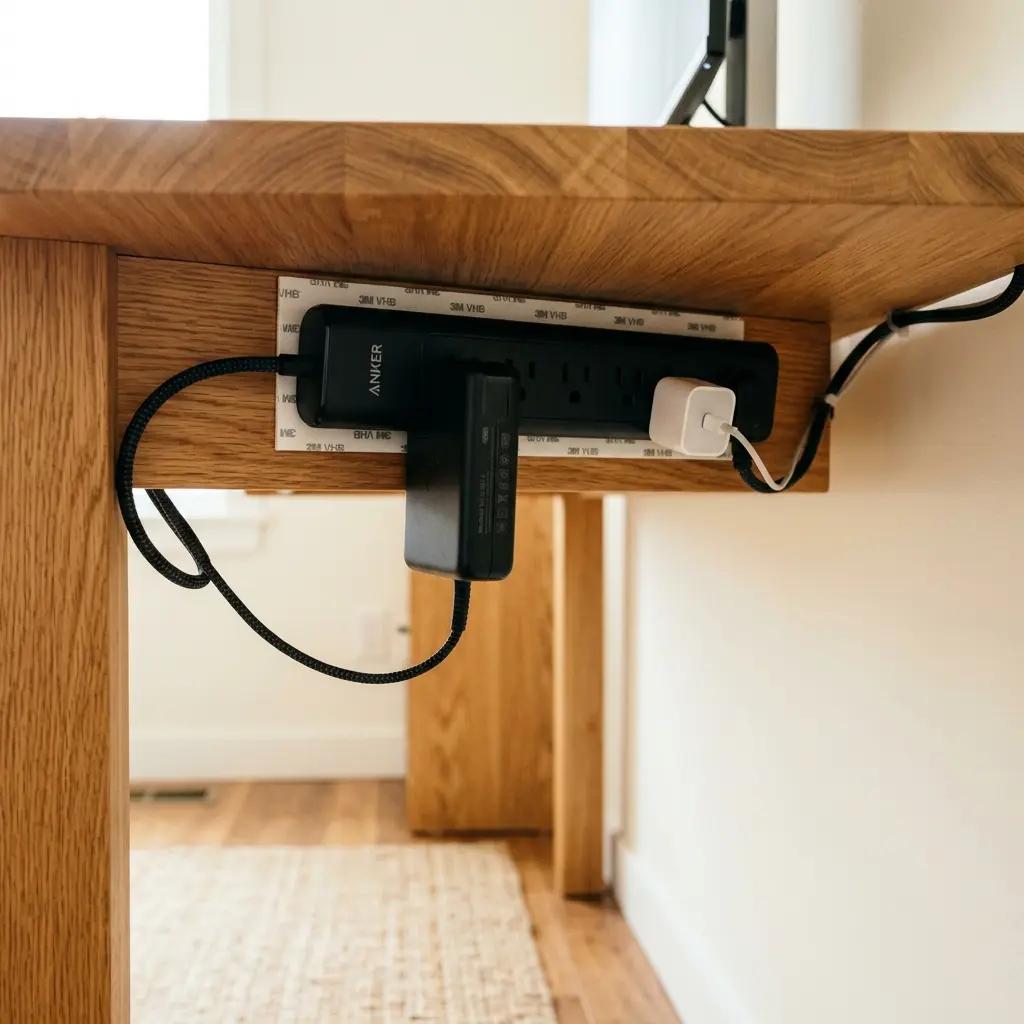
For a step-by-step breakdown of how to execute this mounting process safely, refer to our guide: Under-Desk Cable Management: The Ultimate Hiding Strategy.
How Do You Fix the Visual Eyesore?
You fix the visual eyesore of messy desk cables by routing them in strict, straight lines (horizontally and vertically) rather than allowing them to drape diagonally across open space. Utilizing small, adhesive cable clips along the back edge of your desk creates an invisible pathway for your thin peripheral wires, ensuring they remain completely out of sight from a standing perspective.
When routing these cables, remember the 90° Elbow Rule: Elbows should be bent at 90 to 100 degrees, resting on desk or chair arms, with wrists kept neutral and flat. Your cables must have enough slack to allow your keyboard and mouse to move freely within this ergonomic posture.
- Unplug Everything: Start with a blank slate. Untangle every knot.
- Route Horizontally: Use adhesive clips every 10 inches along the rear edge of the desk.
- Group Vertically: Bundle cords dropping from the monitor using a fabric sleeve.
- Manage Slack: Coil excess wire into figure-eight loops and secure with velcro.

We detail the nuances of utilizing these specific tools in our comparison guide: Cable Trays vs. Cable Sleeves: A Direct Comparison.
The Challenges of Sit-Stand Desks
Messy desk cables become exponentially more problematic if you use an adjustable sit-stand desk. If your cords are tangled or draped loosely, the mechanical action of raising the desk will inevitably cause a snag. Conversely, if you zip-tie the cables too tightly without providing a “service loop” of slack, raising the desk will violently rip the plugs out of the wall.
The solution is to bundle the vertical drop in a flexible fabric sleeve that acts as a spine, flexing safely as the desk transitions heights.
You can learn more about configuring your workstation to accommodate this movement in our overarching Complete Guide to Desk Cable Management: Clean Setup.
Messy Desk Cables FAQs
1. Are zip ties good for fixing messy desk cables?
While zip ties are cheap and strong, they are generally not recommended for home office setups. They are permanent, meaning if you need to swap out a mouse or replace a broken cable, you have to carefully cut them off, risking damage to the other wires. Reusable velcro straps are vastly superior.
2. Can messy cables cause my computer to overheat?
Yes. When cables are tangled into a tight “nest” on the floor or stuffed behind a PC tower, they trap significant amounts of dust and restrict airflow. This prevents the exhaust fans from venting hot air, leading to thermal throttling and potential hardware failure over time.
3. What is the best way to hide cables on top of the desk?
The best way to hide cables on the top surface is to use a monitor arm with built-in routing channels, and to drill a grommet hole directly beneath your keyboard. If you cannot drill holes, routing the wires straight back and securing them immediately to the desk edge with an adhesive clip is the next best option.
4. Do cable management boxes actually work?
Cable management boxes are an acceptable “quick fix” for hiding a messy power strip on the floor, but they are not a true ergonomic solution because the cables still run down to your feet. Furthermore, they restrict airflow, making them dangerous for hot power bricks.
5. How do I manage cables for dual monitors?
Dual monitors require routing both power and display cables from each screen. The most effective method is to use a dual-monitor arm that features internal routing channels, bringing all four cords down to a single central point before wrapping them in a zipper sleeve.
6. Is it safe to mount a power strip under my desk?
Yes, it is perfectly safe to mount a power strip under a desk, provided you use the correct mounting hardware (screws or heavy-duty tape like 3M VHB) and do not overload the strip beyond its wattage rating. Ensure the strip has adequate airflow.
Conclusion
Ignoring messy desk cables is a surefire way to introduce unnecessary physical danger and cognitive stress into your daily routine. By taking the time to mount your power strip, route your wires horizontally with clips, and bundle your vertical drops with sleeves, you eliminate the tripping hazards and silence the visual noise. Workspace productivity thrives when your environment feels completely in control. This exact problem—the chaotic, stressful mess of wires—is why we designed the Minimal Desk Starter Kit. It provides the premium routing tools you need to build a flawless foundation for your best work.