
Building an ergonomic, distraction-free workspace from scratch can feel overwhelming when you are trying to source individual components that work together seamlessly. The solution is using a curated system like the minimal desk starter kit, which provides exactly what you need to elevate your posture, route your cables, and organize your daily essentials. In this comprehensive guide, I will walk you step-by-step through installing and optimizing every piece of the TidySetup collection, so you can achieve a professional-grade environment in under an hour.
Alex Thornton is a Certified Ergonomics Consultant and Workplace Wellness Specialist. After earning a master’s degree in Human Factors Engineering from Cornell University and certification from the Board of Certification in Professional Ergonomics (BCPE), Alex spent eight years as the lead ergonomics advisor for a Fortune 500 tech company. In 2020, Alex founded “Ergonomics Everyday,” a consultancy that has evaluated over 500 workspaces. Their hands-on experience ranges from advising startups on cost-effective ergonomic solutions to redesigning entire office floors for maximum employee comfort and productivity.
If you’re looking for a starting point, the Minimal Desk Starter Kit includes everything you need for a clean, ergonomic workspace, serving as the foundation for the ultimate productivity upgrade.
What Is Included in the Minimal Desk Starter Kit?
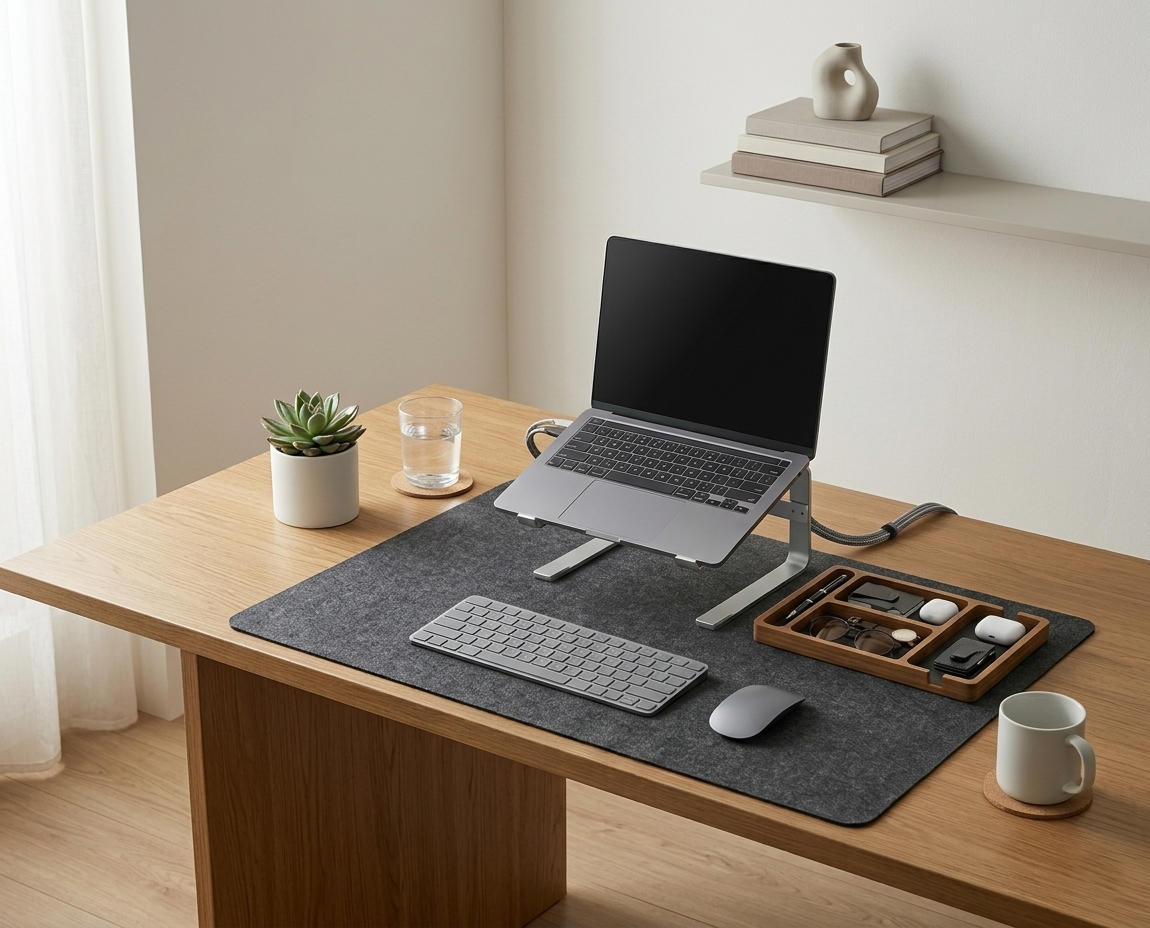
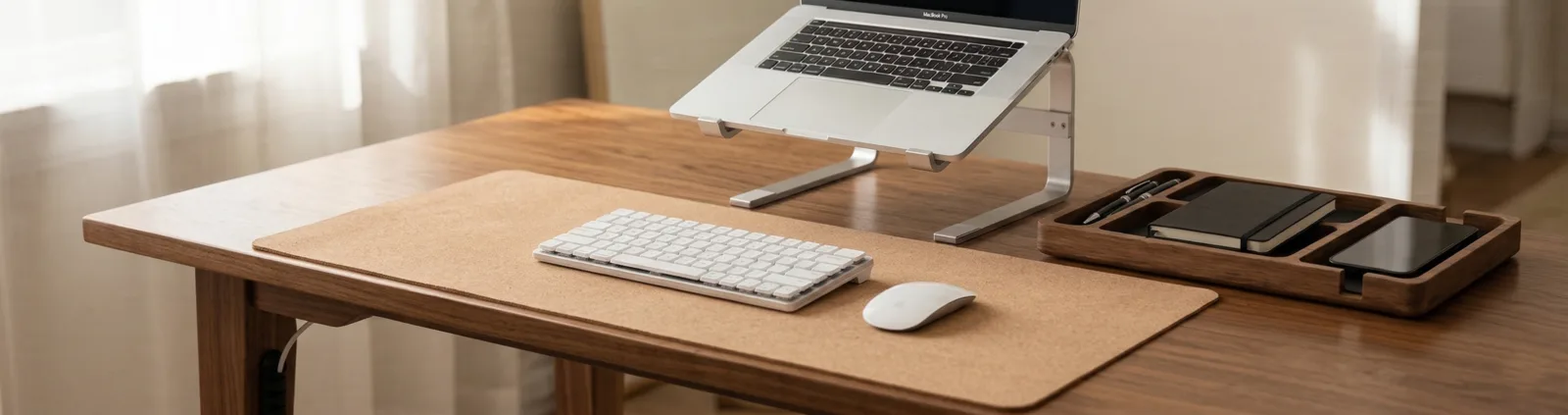
The minimal desk starter kit is a bundled collection of five essential ergonomic and organizational accessories designed to completely overhaul a standard desk into a highly functional workspace. It includes an aluminum laptop stand, a natural cork desk mat, a solid wood desk organizer, a zipper cable sleeve, and adhesive cable holder clips.
Before assembling the components, it is important to understand the philosophy behind the bundle. A desk setup is the complete arrangement of furniture, tools, and accessories that form a person’s workspace, optimized for comfort, productivity, and health. An ergonomic workstation is a workspace configured to support the body’s natural posture, reduce strain, and prevent repetitive stress injuries during prolonged work.
During a workspace audit for a 200-person engineering team, I found that employees who received standardized, complete setup kits reached optimal ergonomic compliance 80% faster than those who tried to piece together setups individually.
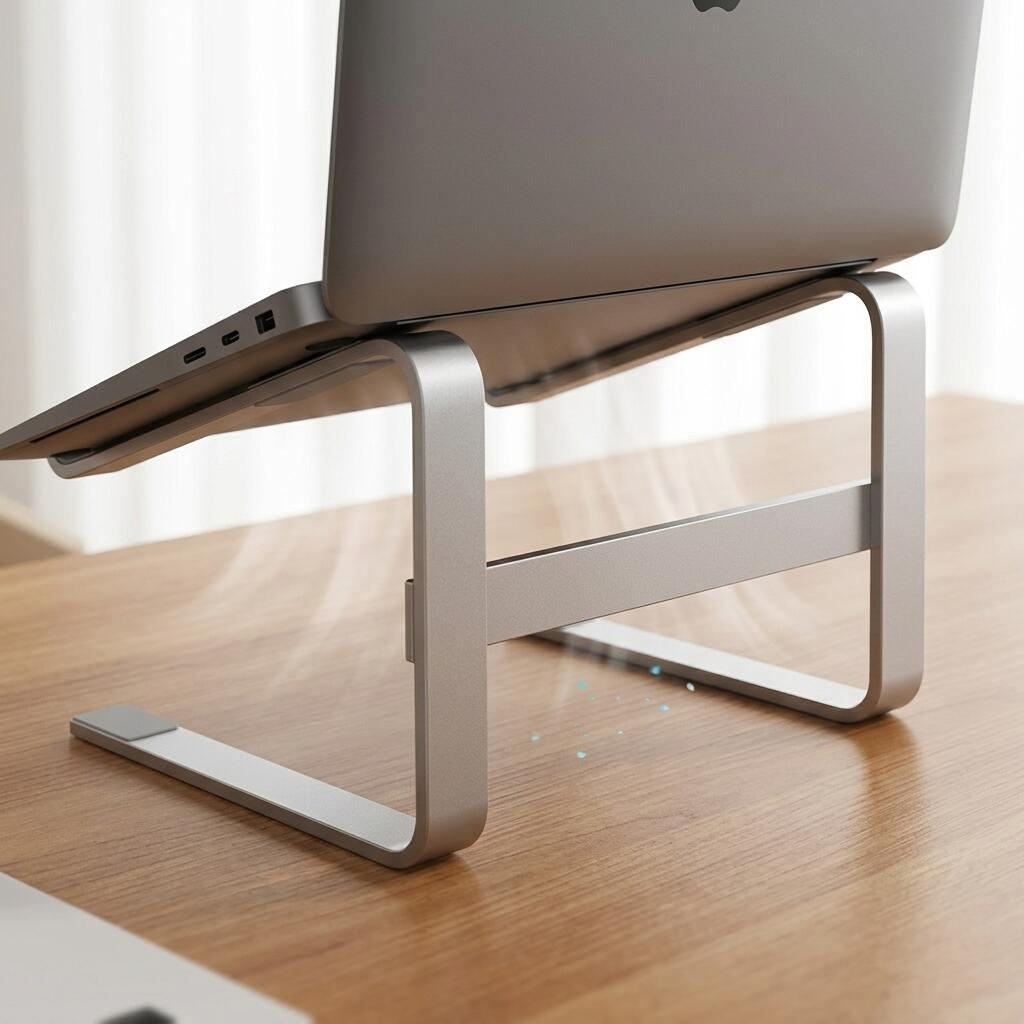
- TidySetup Ergonomic Aluminum Laptop Stand: Elevates your screen to eye level to prevent cervical spine flexion.
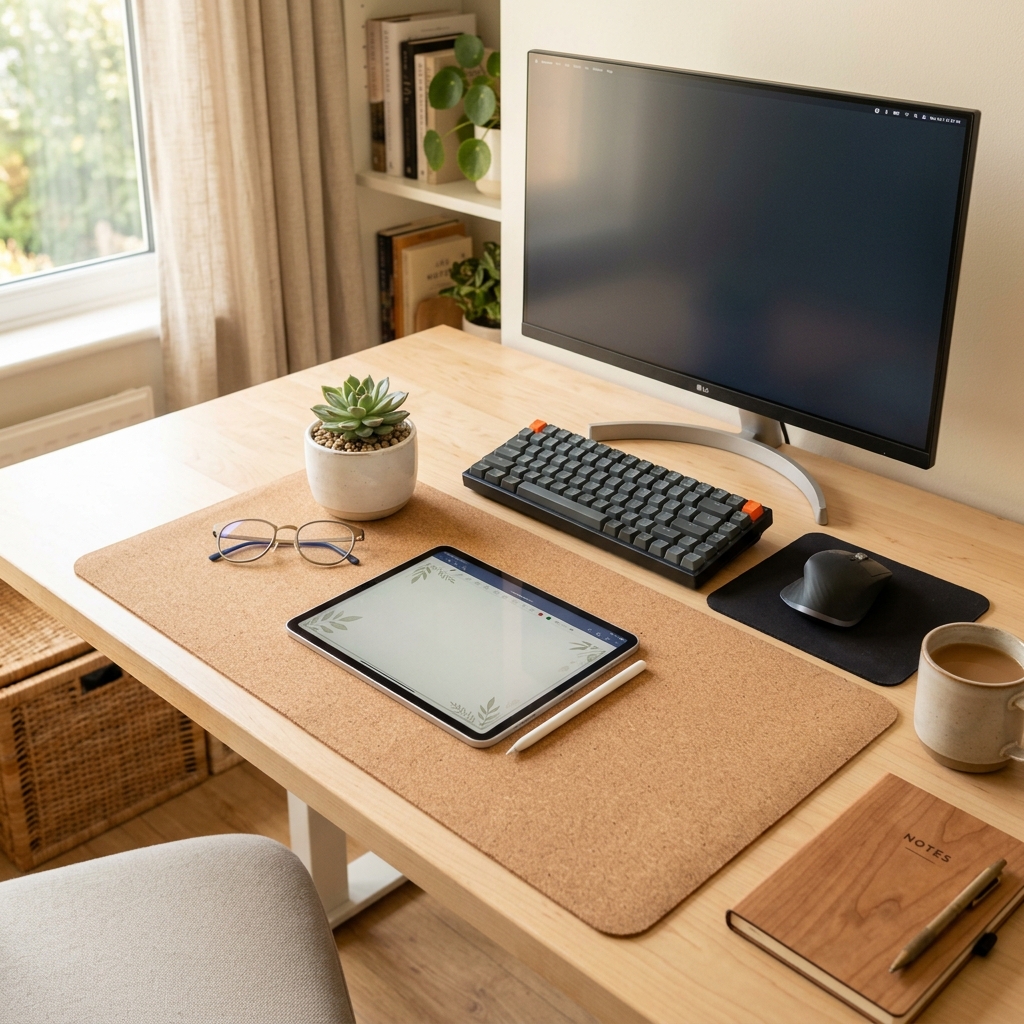
- Large Natural Cork Mouse Pad Desk Mat: Defines your active workspace and provides a soft, neutral resting place for your wrists.
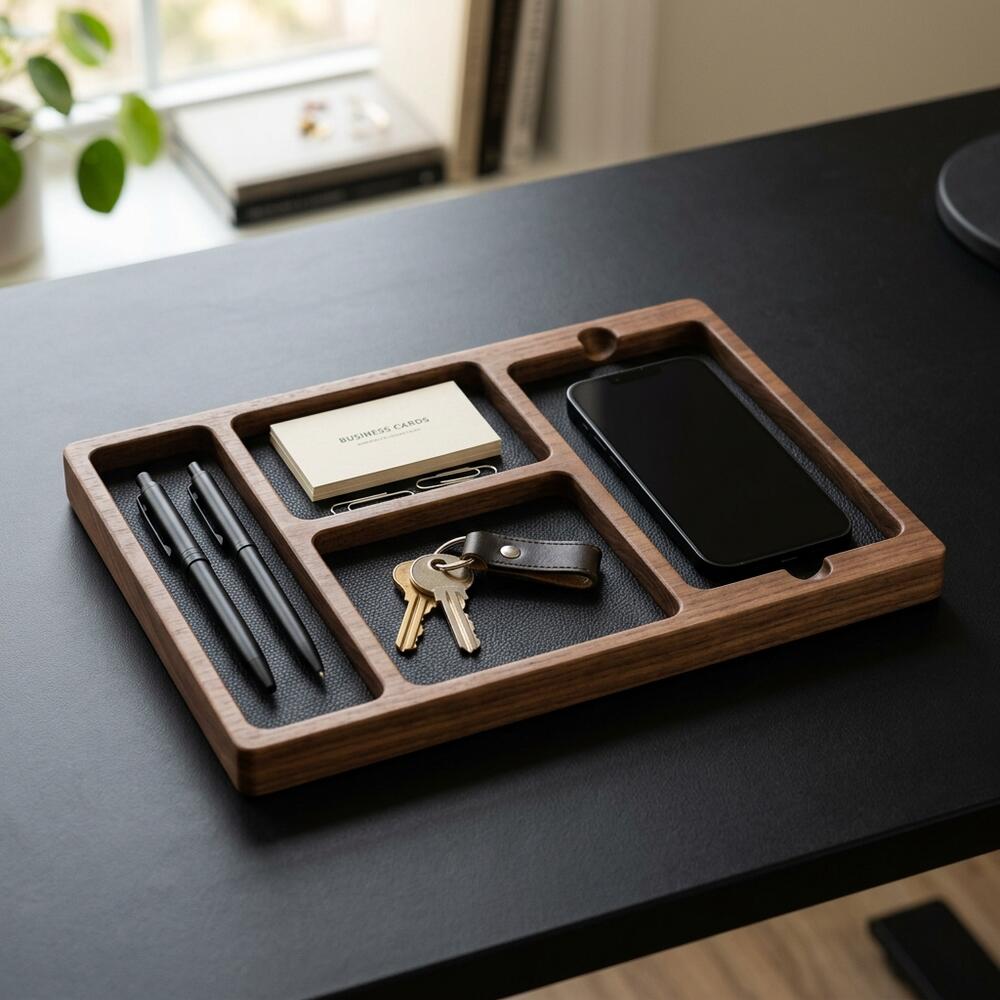
- Solid Wood Desk Organizer: Corrals pens, notebooks, and small tech accessories to eliminate visual clutter.
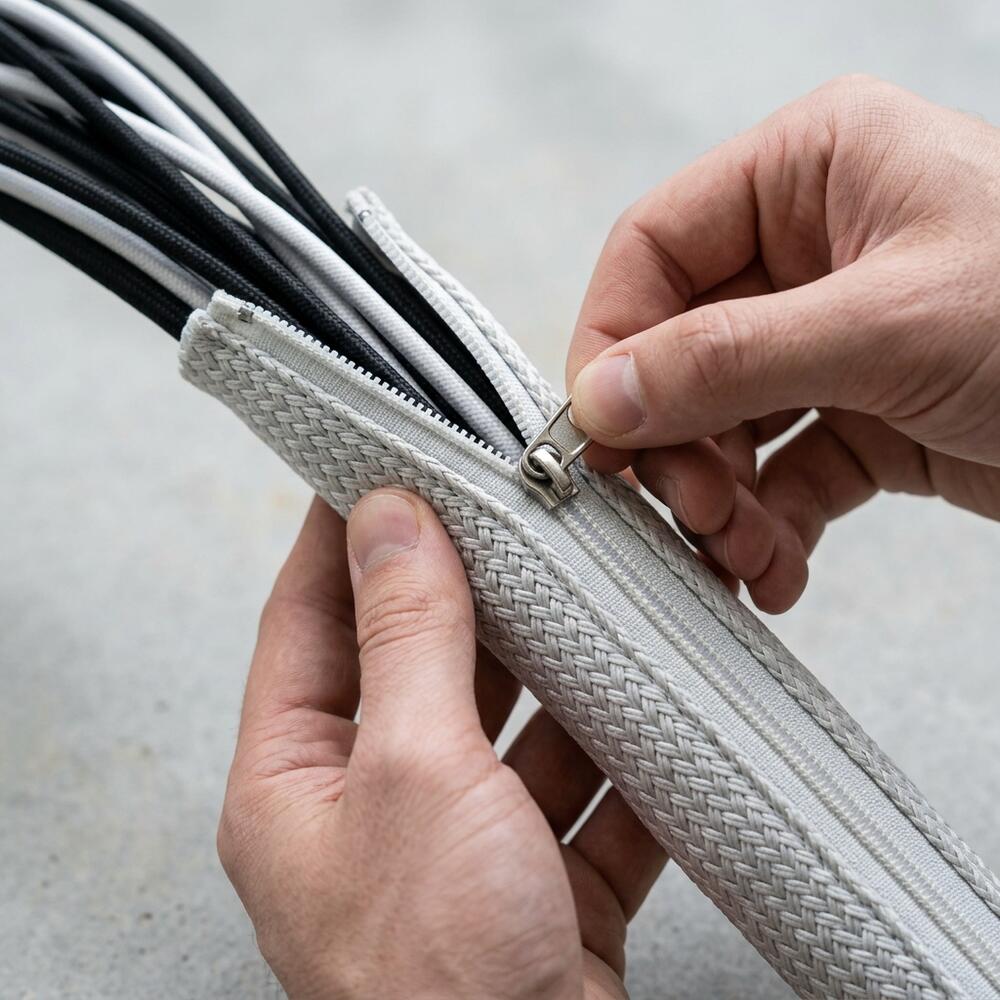
- TidySetup Zipper Cable Sleeve: Bundles vertical power cords dropping from the desk to the wall.
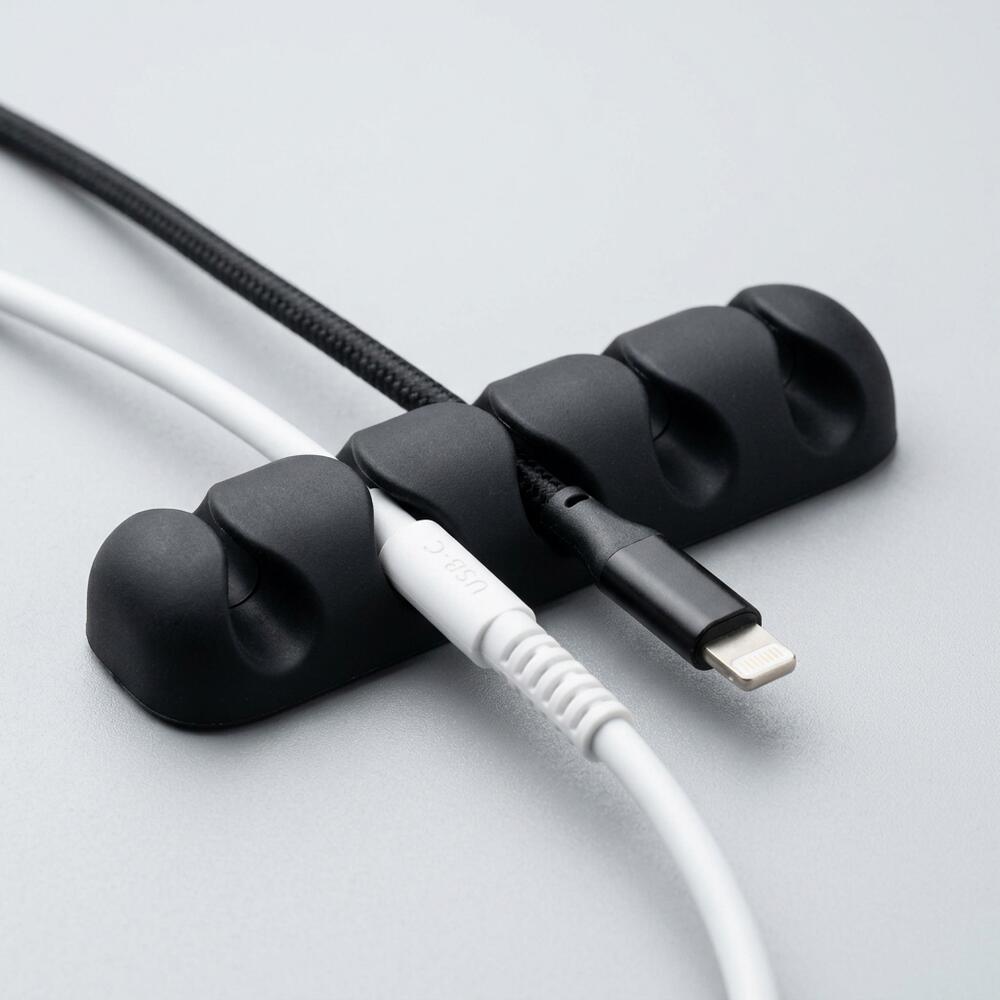
- Cable Holder Clips: Routes horizontal cables invisibly along the back edge of the desk surface.
Every piece serves a specific functional purpose. “A minimal desk starter kit provides a holistic approach to workspace optimization by addressing posture, cable management, and surface organization simultaneously.”
How Do You Set Up the Ergonomic Laptop Stand?
You set up the ergonomic laptop stand by placing it directly in front of your chair, unfolding the hinges to their maximum stable height, and adjusting the tilt so the top third of your laptop screen aligns with your natural eye level when sitting upright. This instantly prevents the forward-head posture that causes chronic neck pain.
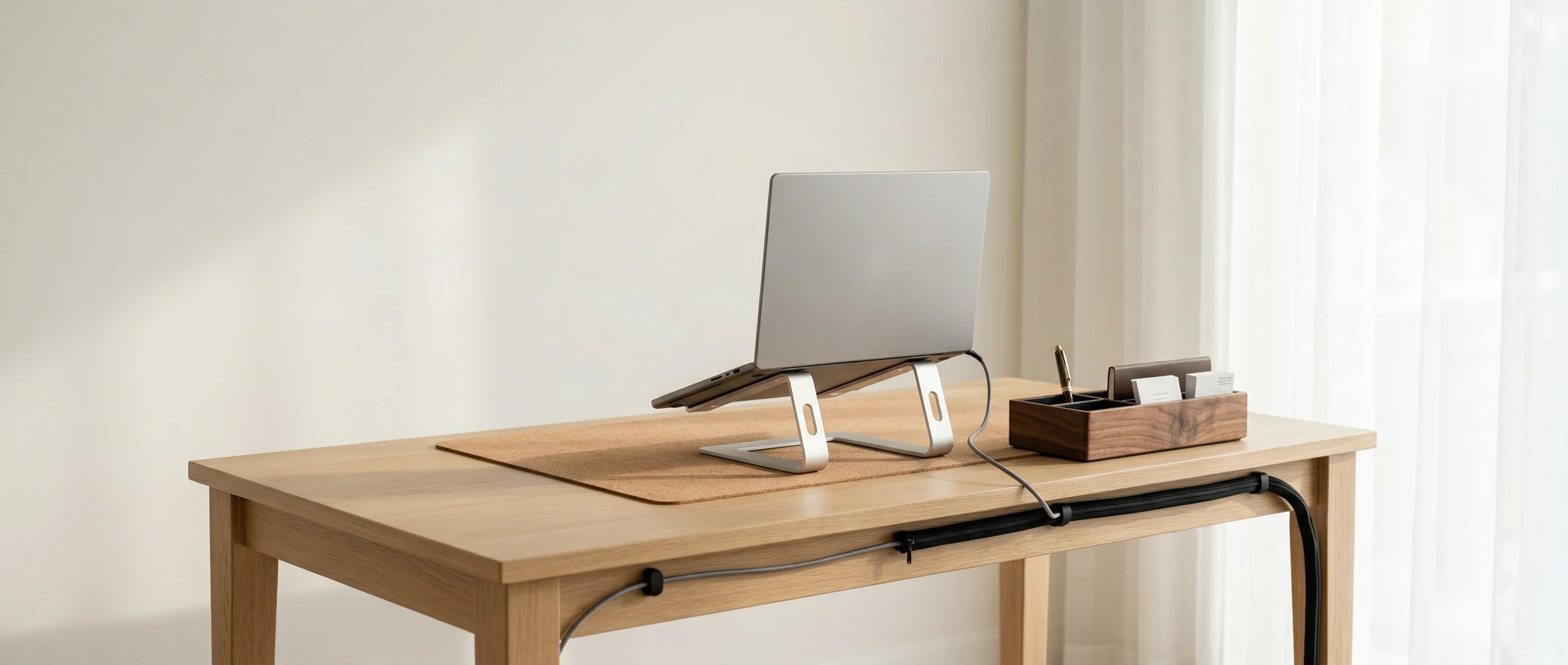
A laptop stand is an elevated platform designed to raise a laptop screen to eye level, reducing neck strain and improving posture during extended use. It is the most critical piece of hardware for anyone who works primarily on a portable computer.
Position your monitor so the top edge sits 2–3 inches above your seated eye level — this reduces cervical flexion by approximately 20°. To achieve this, you may need to apply firm pressure to the hinges of the stand, as they are intentionally stiff to support heavy workstations without sinking.
| Setup Metric | Incorrect Stand Setup | Correct Stand Setup |
|---|---|---|
| Screen Height | Below the chin | Top edge at eye level |
| Viewing Distance | Less than 15 inches | 20–30 inches (arm’s length) |
| Keyboard Use | Typing directly on the elevated laptop | Using a separate, flat keyboard on the desk |
For more detailed instructions on perfecting your posture with this device, read our dedicated guide on how to use an ergonomic aluminum laptop stand for better posture.
Where Should You Place the Cork Desk Mat?
You should place the cork desk mat squarely in the center of your seating position, pulling the front edge flush with the front edge of your physical desk to protect your forearms from hard contact stress. The mat acts as the physical boundary of your active “work zone,” keeping your external keyboard and mouse perfectly aligned.
In over 500 workspace evaluations, one of the most common issues I encounter is users placing their mats too far back on the desk, which forces them to reach forward and pulls their elbows away from their ribs, leading to shoulder tension.
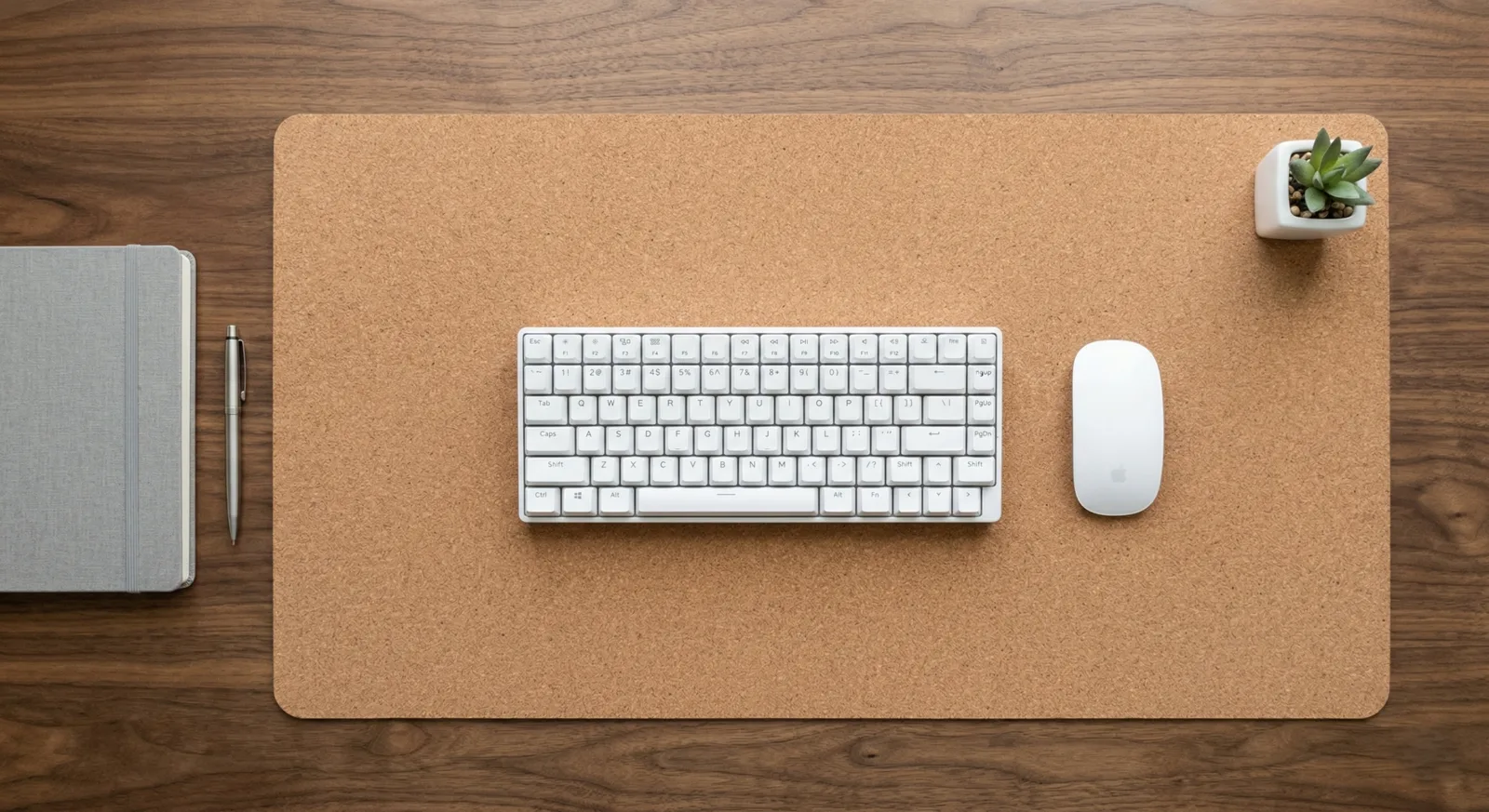
The 90° Elbow Rule dictates that elbows should be bent at 90 to 100 degrees, resting on desk or chair arms, with wrists kept neutral and flat. The soft texture of the natural cork provides the necessary support to maintain this flat alignment without compressing the median nerve.
To understand why this material is superior to synthetics for daily comfort, explore our comparison: Cork vs. Leather Desk Mats: Why Natural Cork is the Best Choice.
How Do You Manage Cables with the Kit?
You manage cables with the kit by using the adhesive clips to route horizontal wires (like monitor HDMI and thin power cables) invisibly along the back edge of your desk, and then using the zipper sleeve to bundle the thick vertical cords dropping down to your wall outlet. This two-part system completely removes visual clutter and tripping hazards.
A cable management system is a combination of tools such as clips, sleeves, and trays used to organize and conceal wires in a workspace. When installing the adhesive clips, be sure to clean the underside of your desk with rubbing alcohol first to ensure a permanent bond.
- Unplug all devices before routing.
- Stick the clips every 8 to 12 inches along the rear desk edge.
- Leave 2-3 inches of slack near the ports to prevent strain on the hardware.
- Wrap the zipper sleeve around the final bundle of cords leading to the floor.
If you are confused about which routing tool to use for specific cords, review our breakdown: Zipper Cable Sleeve vs. Cable Clips: Which Cord Management is Best?.
How Do You Organize Small Accessories?
You organize small accessories by designating the solid wood desk organizer as the single, strict “catch-all” location for pens, notebooks, sticky notes, and thumb drives. By restricting these items to one beautiful, compartmentalized tray, you prevent them from spreading across your desk mat and competing for your visual attention.
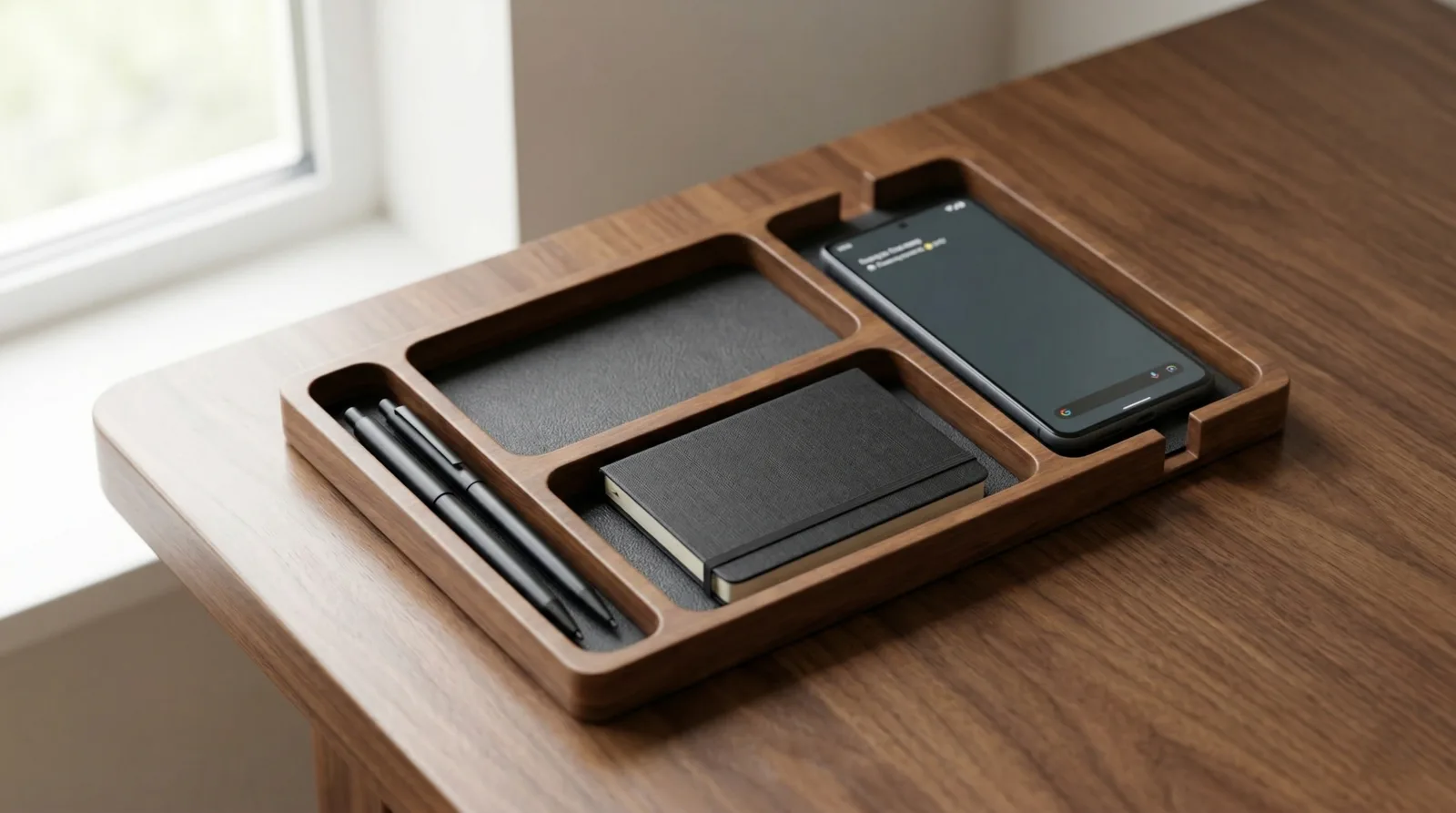
A desk organizer is a storage accessory designed to reduce desktop clutter by providing designated compartments for office supplies and accessories. Workspace productivity refers to the efficiency and output quality achieved through an intentionally designed and organized work environment.
Place the organizer in the upper right or upper left corner of your desk, just outside of your primary typing zone. This keeps it accessible but out of the way of your mouse movements. “A physical boundary for small tools significantly reduces cognitive load by eliminating background visual noise from the user’s peripheral vision.”
For more strategies on keeping your surface clean, check out the ultimate desk organizer setup guide for a minimalist workspace.
TidySetup Starter Kit FAQs
1. How long does it take to install the minimal desk starter kit?
Installing the complete minimal desk starter kit typically takes between 20 and 40 minutes. The longest step is usually routing the cables through the adhesive clips and zipper sleeve. The laptop stand, desk mat, and organizer can be positioned in under five minutes.
2. Do the cable clips damage wooden desks?
The cable holder clips use a strong adhesive that is designed to stay put, but it will not permanently damage solid wood, laminate, or metal desks. If you ever need to remove them, heating the clip gently with a hairdryer will soften the adhesive for clean removal.
3. Does the laptop stand hold heavy gaming laptops?
Yes, the TidySetup Ergonomic Aluminum Laptop Stand features ultra-stiff tension hinges that can support up to 15 pounds without slowly sinking over time. It is fully capable of holding thick, heavy 17-inch mobile workstations and gaming laptops securely.
4. How do I clean the natural cork desk mat?
Natural cork is naturally water-resistant and antimicrobial. To clean it, simply wipe the surface with a damp cloth and a drop of mild dish soap. Do not use harsh chemical cleaners or submerge the mat entirely in water. Let it air dry completely.
5. Can I use the zipper cable sleeve for a standing desk?
Absolutely. The zipper cable sleeve is actually ideal for standing desks because it flexes easily. You simply need to ensure you bundle enough slack inside the sleeve so that the cables are not pulled tight when the desk is raised to its maximum standing height.
6. Do I need a separate keyboard to use the laptop stand?
Yes, it is highly recommended. When you elevate your laptop screen to eye level, the attached keyboard is raised to an unergonomic height. To prevent severe shoulder and wrist strain, you must use an external, flat keyboard placed on your desk mat.
Conclusion
Setting up your workspace thoughtfully is the highest-leverage task you can perform for your daily productivity. By utilizing the minimal desk starter kit, you immediately solve the three biggest desk problems: poor screen height, chaotic cables, and surface clutter. A well-organized workspace is a small investment in your daily comfort and focus. If you’re ready to get started, take a look at the complete TidySetup collection to transform your environment today.