








Buying a motorized standing desk only to find yourself sitting all day—or standing until your feet and lower back ache—is one of the most common workstation pitfalls. The solution is adopting the evidence-based 20-8-2 standing desk protocol, a structured 30-minute movement rhythm that balances 20 minutes of neutral sitting, 8 minutes of standing, and 2 minutes of gentle moving. In this postural health guide, I will share the biomechanical research and practical height calibration steps I deploy across professional workspace audits to help you sustain all-day physical energy without joint fatigue.
If you are looking for an integrated workspace foundation that pairs articulating monitor arms with under-desk cable trays designed for seamless standing desk height transitions, explore the Advanced Desk Setup Kit.
What Is the 20-8-2 Sitting Standing Posture Protocol?
The 20-8-2 posture protocol is an evidence-based workplace movement rhythm developed by human factors researchers at Cornell University. Across every 30-minute block, it prescribes sitting in neutral posture for 20 minutes, standing upright for 8 minutes, and walking or stretching for 2 minutes. This cyclical cadence prevents prolonged static loading on the lumbar spine while avoiding the vascular pooling caused by continuous standing.
The 20-8-2 protocol dictates 20 minutes of seated work, 8 minutes of standing, and 2 minutes of gentle movement per half-hour cycle.
According to landmark research from the Cornell University Ergonomics Guidelines (CUErgo), human bodies are biomechanically unsuited for prolonged static postures of any kind. Whether locked into a chair or standing rigidly on hardwood floors, static postures induce muscle ischemia (restricted blood flow). The 20-8-2 cadence delivers three major physiological benefits:
- Spinal Disc Re-Hydration: Transitioning between seated lumbar support and vertical standing shifts compressive load off the L4-L5 and L5-S1 spinal discs.
- Venous Return Activation: Two minutes of walking engages the calf muscle “skeletal muscle pump,” pushing pooled blood upward and preventing varicose veins.
- Cognitive Alertness Reset: Physical posture transitions stimulate dopamine and norepinephrine release, clearing afternoon mental fog.
Review comprehensive baseline ergonomics in our pillar guide on ergonomic workstation alignment.

Why Standing All Day Is Just as Damaging as Sitting All Day
Standing all day is just as damaging as prolonged sitting because continuous static standing causes blood to pool in the lower extremities, elevates venous pressure, and places continuous compressive stress on the lumbar facet joints and plantar fascia. Working on your feet for six to eight hours without structured sitting intervals frequently triggers plantar fasciitis, varicose veins, and lower back spasms.
A standing desk converter or height-adjustable desk provides the mechanical flexibility to alternate postures throughout the workday, preventing static musculoskeletal fatigue.
As detailed in Harvard Health research on standing desks, simply standing burns only about 8 extra calories per hour compared to sitting—equivalent to a single carrot over an entire morning. The true health benefit of a standing desk is not caloric burn; it is dynamic postural variability.
In over 400 workspace evaluations, I frequently meet desk workers who bought a sit-stand desk, forced themselves to stand for four consecutive hours on day one, and promptly gave up due to severe foot and lower back fatigue. Postural adaptation must be gradual and structured.
How to Calculate Your Exact Sitting and Standing Desk Heights
To calculate your exact sitting and standing desk heights, position your elbows at a natural 90-to-100-degree resting angle with dropped shoulders in both postures, and measure the distance from the floor to the underside of your forearms. For seated work, this measurement typically falls between 28 and 30 inches; for standing, it ranges between 38 and 46 inches depending on user height.
The 90-degree elbow rule states that forearms should rest at a 90 to 100 degree angle relative to the upper arm, with wrists kept neutral and flat on the desk surface.
In accordance with OSHA Computer Workstation Guidelines, maintaining neutral upper extremity alignment between 90° and 100° prevents trapezius elevation and forearm tendonitis across both postures:
| User Height | Optimal Seated Desk Height | Optimal Standing Desk Height | Monitor Top Height (from floor) |
|---|---|---|---|
| 5’4″ (163 cm) | 25.5″ – 26.5″ | 37.0″ – 38.5″ | 47.0″ (seated) / 58.5″ (standing) |
| 5’8″ (173 cm) | 27.0″ – 28.0″ | 39.5″ – 41.0″ | 49.5″ (seated) / 62.0″ (standing) |
| 6’0″ (183 cm) | 28.5″ – 29.5″ | 42.0″ – 43.5″ | 52.0″ (seated) / 65.5″ (standing) |
| 6’4″ (193 cm) | 30.5″ – 31.5″ | 44.5″ – 46.0″ | 55.0″ (seated) / 69.0″ (standing) |
Discover complete mathematical formulas in our comprehensive guide on standard ergonomic desk heights.
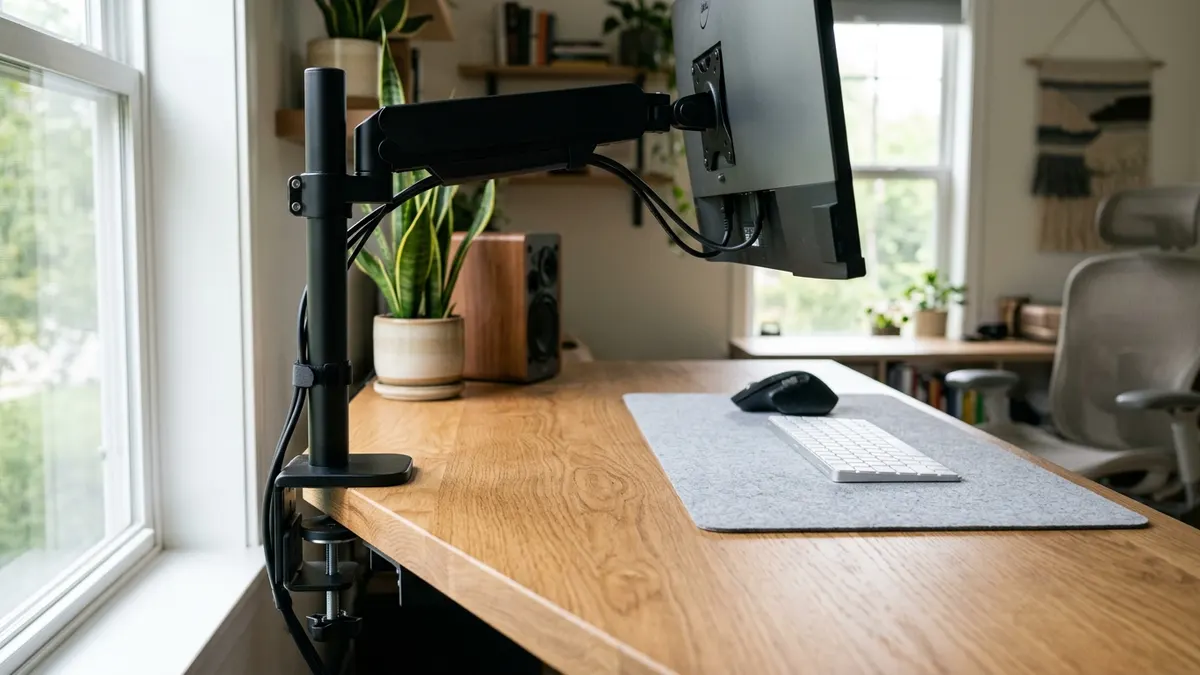
Managing Hardware and Cables During Sit-Stand Transitions
Transitioning between sitting and standing heights places multi-axis kinetic tension on cords and display mounts. Without proper cable management and articulating hardware, raising your desk can pull power cords out of wall sockets, stress laptop ports, or cause screens to wobble violently.
Standing desk cable management requires maintaining adequate slack in the master drop cable to accommodate full vertical travel without placing tension on wall sockets.
Follow these three essential hardware integration rules:
- Decouple Screens on Articulating Mounts: Because user eye height shifts slightly when standing compared to sitting, mounting your display on a Full-Motion Single Monitor Arm allows instant micro-adjustments to keep the top bezel at eye level.
- Consolidate Power Under the Desk: Mount your surge strip directly inside an Under-Desk Cable Management Tray so all equipment cables move in unison with the desktop surface.
- Calibrate Dynamic Travel Slack: Ensure the single master power drop cord has 14 to 16 inches of relaxed loop slack when the desk is elevated to its maximum standing limit.
Master wire routing for moving desks in our complete blueprint on desk cable architecture.
Step-by-Step: Implementing the 20-8-2 Protocol Today
Follow this 4-step implementation protocol to transition smoothly into the 20-8-2 habit without disrupting your cognitive deep work:
- Step 1: Program Two Motorized Presets: Program Preset 1 to your exact seated elbow height (28″–30″) and Preset 2 to your relaxed standing elbow height (38″–46″).
- Step 2: Center a Cushioned Desk Mat: Lay a supple Premium PU Leather Desk Mat beneath your keyboard and mouse to cushion wrists during both sitting and standing phases.
- Step 3: Set a Gentle Haptic Interval Timer: Use a smartwatch or subtle desktop app set for 20 minutes. When it alerts, tap your standing preset and continue working seamlessly on your feet for 8 minutes.
- Step 4: Take the 2-Minute Movement Break: Use the final 2 minutes to walk to the kitchen, refill your water glass, or do gentle calf stretches before resetting the cycle.
Frequently Asked Questions
What is the 20-8-2 ergonomic rule?
The 20-8-2 rule is an ergonomic movement cadence developed by Cornell University prescribing 20 minutes of sitting in neutral posture, 8 minutes of standing, and 2 minutes of moving or stretching every half hour.
Can I stand for 30 minutes instead of 8 minutes?
Standing for longer periods is acceptable if you have adapted over several weeks, but standing for more than 40 minutes continuously increases lower limb venous pressure and lumbar spine fatigue. Alternating frequently is far healthier than standing continuously.
Do I need an anti-fatigue mat for standing?
Yes. If standing on hardwood, tile, or concrete floors, a high-density polyurethane anti-fatigue mat encourages subtle calf muscle micro-contractions, improving venous return and reducing foot soreness.
Should my monitor height change when I stand up?
Yes, slightly. When standing, your head and neck posture naturally elongates compared to sitting. A gas-spring articulating monitor arm makes it easy to tilt and raise the screen 1 to 2 inches to keep the top edge aligned with your standing sightline.
What should I do during the 2 minutes of movement?
The 2 minutes should involve gentle, low-intensity movement: walking to grab water, stepping into natural sunlight, or performing gentle shoulder rolls and calf raises to activate blood flow.
How much cable slack is needed for an electric standing desk?
You need approximately 14 to 16 inches of dynamic cable slack on your master power drop cord. Always calibrate this slack with the desk elevated to its highest standing preset to prevent cord tension.