








Suffering from throbbing headaches, dry eyes, and squinting by mid-afternoon is frequently the result of improper optical luminance balance in your home office. The solution is mastering track lighting vs desk lamp workspace illumination, balancing wide ceiling ambient wash with localized, glare-free task lighting to protect your vision. In this lighting architecture guide, I will share photometric calibration standards and spatial placement frameworks developed across 400 workspace audits to help you build an illuminated sanctuary that energizes daily cognitive focus.
If you are looking for an integrated workspace foundation that pairs glare-free task lighting with articulating display mounts and acoustic surface pads, explore the Advanced Desk Setup Kit.
The Photometric Conflict: Ambient Ceiling Light vs. Localized Task Light
The photometric conflict between ceiling track lighting and traditional desk lamps centers on beam geometry, luminance uniformity, and specular reflection angles across computer displays. Overhead track lighting floods the perimeter room envelope with diffused ambient lux but often casts harsh shadows beneath shelving, whereas conventional gooseneck desk lamps create bright, concentrated glare pools directly across monitor glass.
Workspace productivity refers to the efficiency and output quality achieved through an intentionally designed and organized work environment.
In lighting audits across 400 executive and creative workstations, I frequently observe two severe optical failure points when workers rely exclusively on one lighting method:
- The “Cave” Contrast Effect: Using only a localized desk lamp in a darkened room creates a severe 10:1 luminance contrast ratio between the glowing display panel and ambient surroundings, overtaxing your eyes’ ciliary accommodation muscles.
- Specular Screen Veiling: Positioning ceiling track fixtures directly behind or above the seated user causes high-intensity beams to bounce off glossy monitor glass, washing out text contrast by up to 60%.
- Uneven Work Surface Shadows: Gooseneck lamps positioned on one side of a desk cast sharp, asymmetrical hand shadows across keyboards and physical note-taking surfaces.
Explore full environmental blueprints in our foundational pillar guide on workspace environmental architecture.

How Do You Eliminate Specular Glare on Computer Screens?
You eliminate specular glare on computer screens by aiming ceiling track heads away from display glass toward peripheral bounce walls, and replacing omnidirectional desk lamps with an asymmetric monitor light bar. Angling light sources at a strict 45-degree forward trajectory illuminates your keyboard and documents with 300 to 500 lux while maintaining exactly 0.0 lux of direct light on the screen surface.
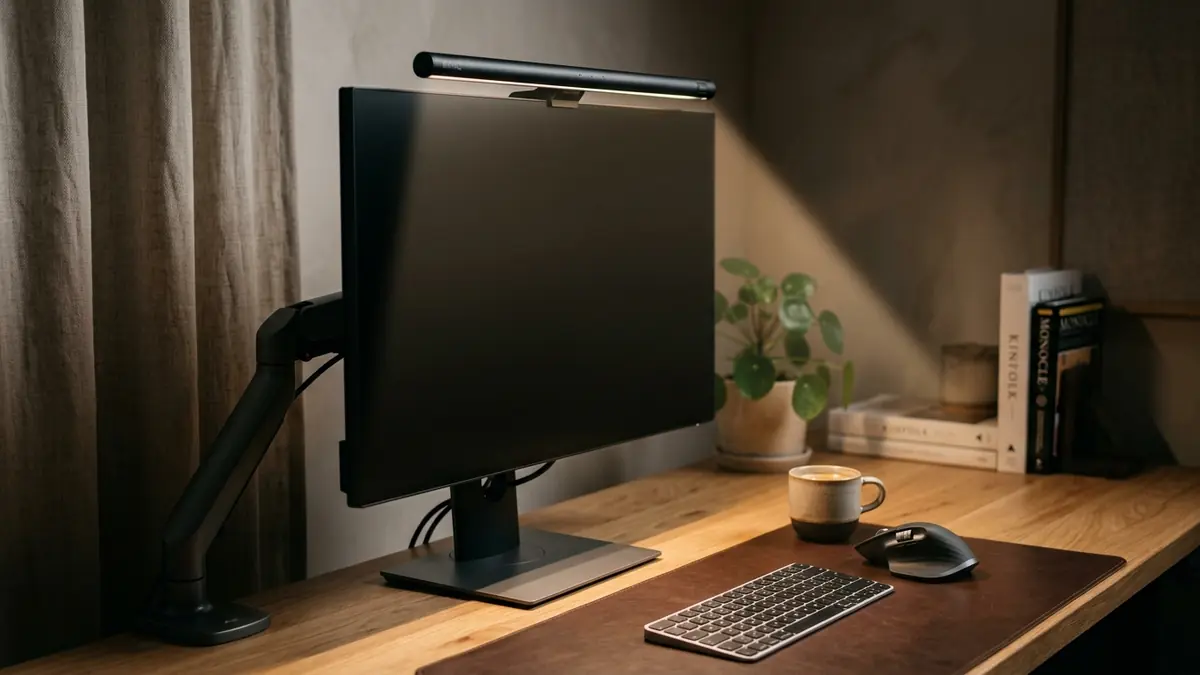
An asymmetric monitor light bar mounts atop display bezels to deliver forward-focused desk illumination without reflecting light off the screen glass or into the user’s eyes.
According to clinical clinical recommendations from the American Academy of Ophthalmology and Cornell University Ergonomics Guidelines, maintaining balanced 3:1 luminance contrast without screen reflections prevents ocular dry-eye symptoms and micro-strain. Here is how to configure both lighting layers:
- Indirect Track Lighting Wash: Rotate track heads toward the wall behind your monitor or perpendicular accent walls. The soft wall bounce creates gentle ambient fill without creating hotspots in your field of view.
- Bezel-Mounted Asymmetric Task Light: Clipping a 50cm Computer Monitor Light Bar directly atop your display projects a forward-angled triangular beam across your desk pad while shielding your retinas from direct LED diode glare.
- Tactile Non-Reflective Matting: Pairing task lighting with a matte black or brown Premium PU Leather Desk Mat absorbs stray downward light scatter, eliminating reflective table glare.
Compare optical mechanics in depth in our guide on monitor light bars vs. traditional desk lamps.
EN 12464-1 Standards: Lux Targets and Unified Glare Ratings
International workplace lighting standards establish clear photometric benchmarks for professional computer workstations. Under EN 12464-1 indoor workplace lighting standards, desk task areas require a minimum sustained illuminance of 500 lux with a Unified Glare Rating (UGR) below 19 to guarantee visual comfort during prolonged analytical work.
Circadian lighting protocols synchronize artificial color temperatures with the sun’s natural spectrum—shifting from energizing 6500K daylight at 9 AM down to calming 2700K warm light by 6 PM.
Achieving compliance requires understanding the complementary roles of ceiling track lighting and focused desk task lights:
| Lighting Characteristic | Ceiling Track Lighting | Traditional Desk Lamp | Asymmetric Monitor Light Bar |
|---|---|---|---|
| Primary Lighting Role | Ambient room wash & wall accentuation | Symmetrical task spotlight | Forward-projected task illumination |
| Screen Glare Risk | High (if aimed directly at monitor glass) | Severe (specular veiling reflections) | Zero (0.0 lux on screen panel) |
| Desk Space Footprint | 0 sq. inches (ceiling mounted) | 50–90 sq. inches (bulky base) | 0 sq. inches (bezel mounted) |
| Luminance Uniformity | Broad, diffused ambient spread | Harsh hotspot with dark falloff | Even 300–500 lux across entire desk pad |
| Kelvin Tuning Flexibility | Requires smart bulbs or fixed fixtures | Fixed bulb or step toggle | Stepless touch adjustment (2700K–6500K) |
| Color Rendering Index (CRI) | Variable (typically CRI 80–90) | Variable (CRI 80–85) | CRI 95+ (High-fidelity color rendering) |
Learn how to tune light temperatures across your workday in our guide on 2700K vs. 5000K circadian desk lighting.
The Layered Lighting Protocol: Building the Ideal 3-Tier System
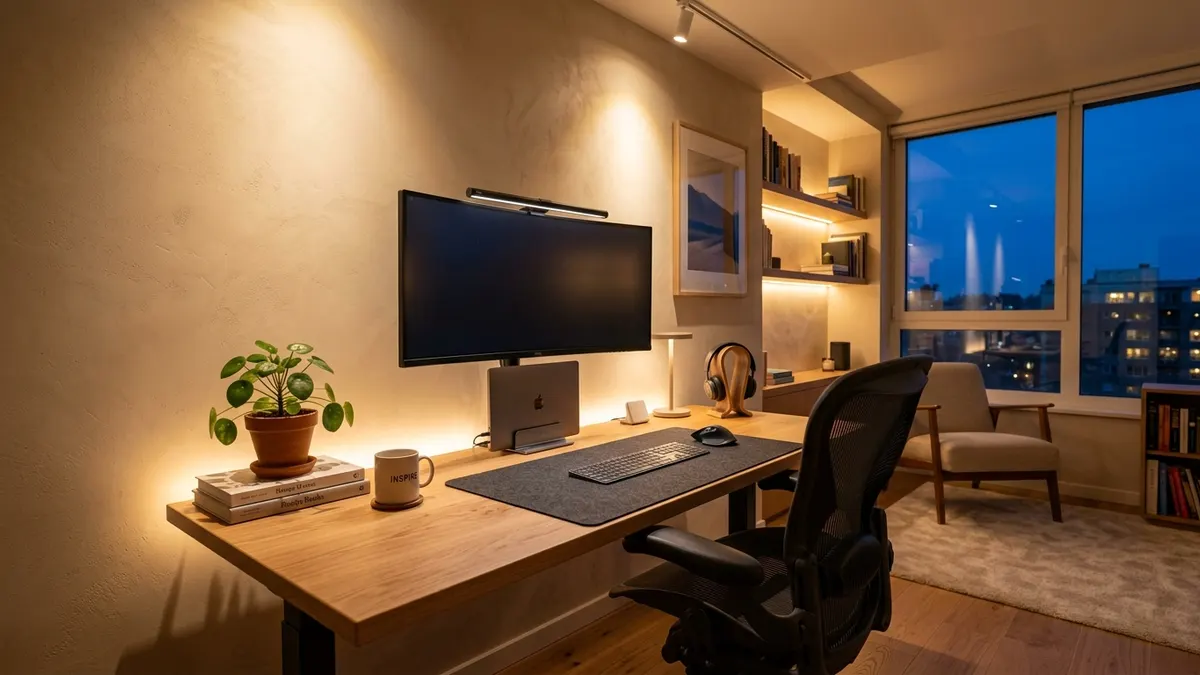
To eliminate optical eye strain permanently, implement this 3-tier layered lighting strategy across your workspace:
- Tier 1: Ambient Ceiling Track Layer (150–250 Lux): Aim 2 to 3 track heads toward rear walls or room perimeters to create a warm, diffused ambient wash that softens background room shadows.
- Tier 2: Asymmetric Task Illumination Layer (300–500 Lux): Mount a 50cm Monitor Light Bar atop your screen to provide targeted, shadow-free illumination directly over your keyboard and reading materials.
- Tier 3: Cable & Power Concealment: Route all lamp and light bar power wires beneath the desk into an Under-Desk Cable Management Tray to eliminate visual cord clutter.
Frequently Asked Questions
Can track lighting completely replace a desk lamp?
No. Track lighting excels at providing broad ambient room illumination, but cannot deliver the concentrated 300 to 500 lux required for document reading and typing without casting user body shadows. A dedicated task light or monitor light bar is still necessary.
Where should ceiling track lighting be placed relative to a computer desk?
Track lights should be installed parallel to the desk or aimed toward the wall behind the monitor. Never position track fixtures directly behind the seated user aimed toward the screen, as this produces blinding specular glare.
Why are monitor light bars better than traditional desk lamps?
Monitor light bars mount atop your screen, consuming zero desk surface space. Their 45-degree asymmetric optics illuminate only the desk plane while completely preventing light from reflecting off the monitor glass or into your eyes.
What is the ideal lux level for a home office desk?
In accordance with international ergonomic standards (EN 12464-1), computer workstation task areas should maintain between 300 and 500 lux of even, flicker-free illumination across the primary work zone.
What Kelvin color temperature is best for home office lighting?
Use cool daylight (5000K–6000K) during morning deep-focus sprints to boost dopamine and alertness, transition to neutral white (4000K–4500K) in the afternoon, and switch to warm amber (2700K–3000K) in the evening to protect natural melatonin production.
How does a desk mat improve workspace lighting ergonomics?
A high-density matte desk mat (such as PU leather or natural cork) absorbs direct light scatter, preventing shiny desktop surfaces from bouncing specular glare upward into your peripheral vision.