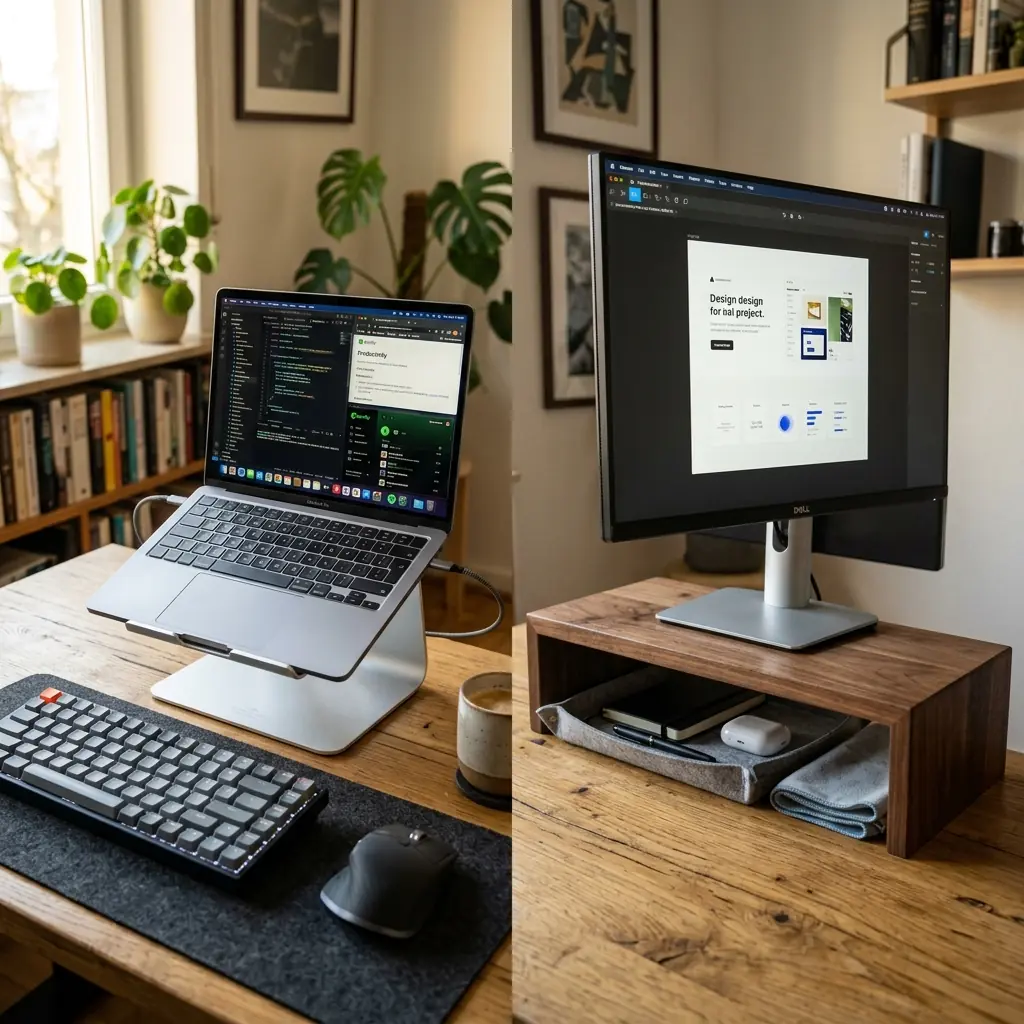
Once you understand that leaving your screen flat on your desk guarantees chronic neck pain, you are confronted with a choice: laptop stand vs monitor riser. Both solve the elevation problem, but they are fundamentally designed for different types of setups.
A laptop stand is a personal, portable bracket designed specifically to hold and elevate a laptop. A monitor riser is a wider platform—usually made from wood or steel—designed to elevate a traditional desktop monitor while providing storage space in the cavity beneath it. Choosing the wrong one for your setup is a common and costly mistake.
The Laptop Stand: Precision Ergonomics for Mobile Workers
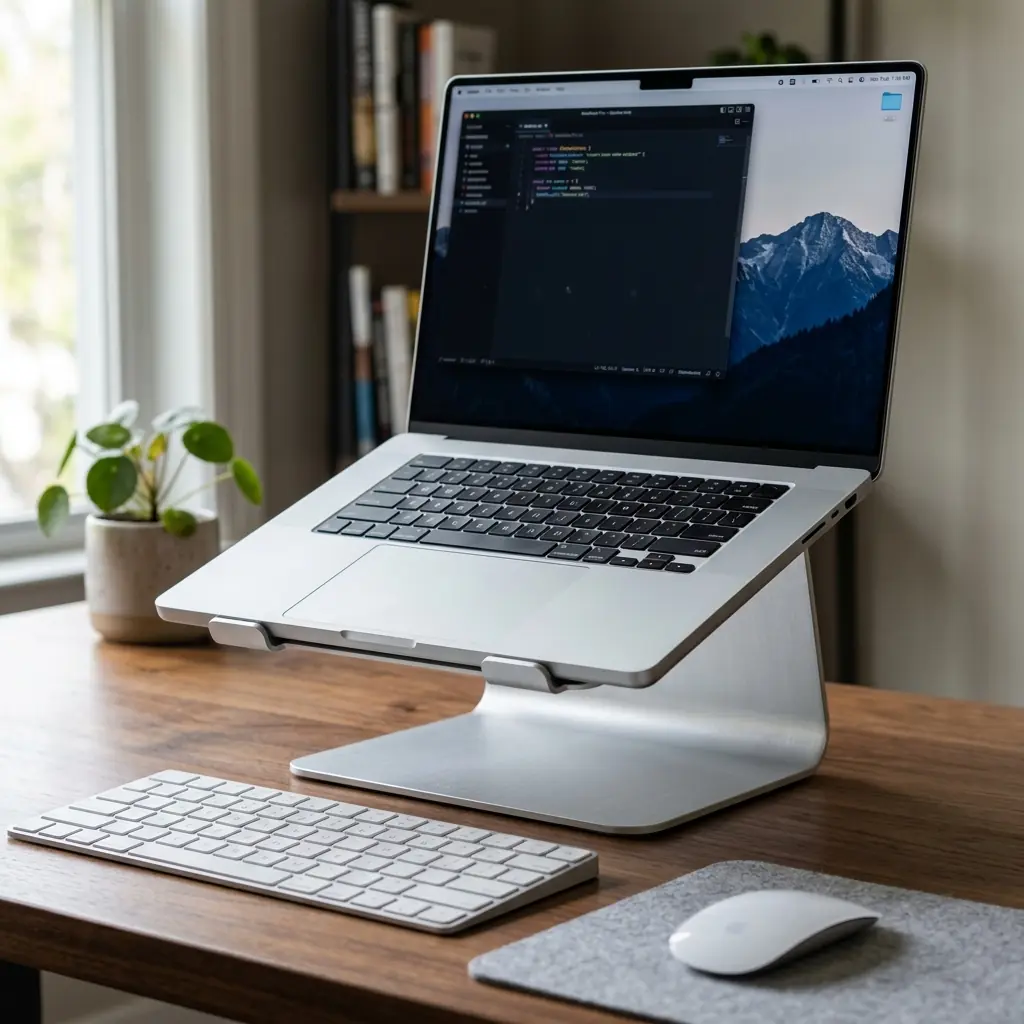
Laptop stands are typically constructed from a single piece of bent or machined aluminum. They hold your laptop at a 30–45 degree angle, raising the screen several inches above the desk surface and bringing it closer to eye level. By necessity, they require you to use an external keyboard and mouse—since the built-in keyboard is now at an awkward angle.
Pros of a Laptop Stand
- Superior Thermal Management — By lifting the laptop off the desk and exposing its underside to open air, a stand dramatically improves cooling. Laptop CPUs throttle their performance when overheated; a stand can directly improve processing speed during sustained tasks.
- Portability — Most aluminum laptop stands fold flat and weigh under 300 grams, making them ideal for hybrid workers who split time between a home office and a shared workspace or café.
- Space Efficiency — A laptop stand occupies a small, defined footprint. On a compact desk, this is a significant advantage over a wide monitor riser that spans the full width of a monitor.
Cons of a Laptop Stand
- Requires External Peripherals — A laptop stand is useless without a separate keyboard and mouse. If you are setting up a permanent workstation, this is fine; if you occasionally need to use your laptop away from your desk, you must connect and disconnect peripherals every time.
- No Under-Desk Storage — Unlike a monitor riser, a laptop stand creates no usable storage cavity. The space beneath it is too small and angled to be practical.
The Monitor Riser: Organization and Elevation Combined
A monitor riser is a wide, flat platform—typically 20–30 inches wide and 4–6 inches tall—designed to sit on your desk with your monitor on top. The open cavity beneath is the key feature: it creates a designated “garage” for your keyboard, a notebook, a hard drive, or other small accessories.
Pros of a Monitor Riser
- The “Garage” Storage — The defining practical benefit. At the end of the day, you slide your mechanical keyboard and mouse under the riser, and your desk instantly transforms into a clean, blank surface. This single feature makes a riser invaluable for maintaining daily desk hygiene.
- Aesthetic Zone Definition — A premium solid walnut riser creates a beautiful architectural focal point on your desk, adding warmth and visual layering that a flat monitor stand simply cannot achieve.
- No Peripheral Dependency — Unlike a laptop stand, a monitor riser does not require you to change your working habits. Your external monitor sits on the riser exactly as it did on the factory stand—just higher.
Cons of a Monitor Riser
- Fixed Height — A riser raises your monitor by a set amount (usually 4–5 inches). If this height is not ergonomically ideal for your chair height and eye level, you have no adjustment. This is why a monitor arm remains the superior ergonomic choice.
- Depth Consumption — A wide riser consumes 9–11 inches of desk depth, which can be problematic on shallow desks under 24 inches deep.
The Verdict: Match the Tool to Your Setup Type
The laptop stand vs monitor riser debate resolves simply once you know your setup type:
- Use a laptop stand if your primary computing device is a laptop and you use it with external peripherals at a permanent or semi-permanent desk. Your priority is thermal performance and portability.
- Use a monitor riser if you have a dedicated desktop computer with an external monitor, and your priority is desk organization and end-of-day cleanup.
- Consider a monitor arm instead of both if ergonomic fine-tuning is your primary concern. A monitor arm beats both options on adjustability.
To see how a laptop stand integrates into a fully optimised portable setup, check out our guide on the compact ergonomic desk setup for small apartments.
For setups where the laptop operates strictly as a closed computing engine paired with an external display, a vertical laptop stand offers the cleanest, most space-efficient footprint available.
Part of TidySetup’s comprehensive resource series: explore our master Ergonomic Workstation Alignment Master Guide for complete workstation benchmarks.