








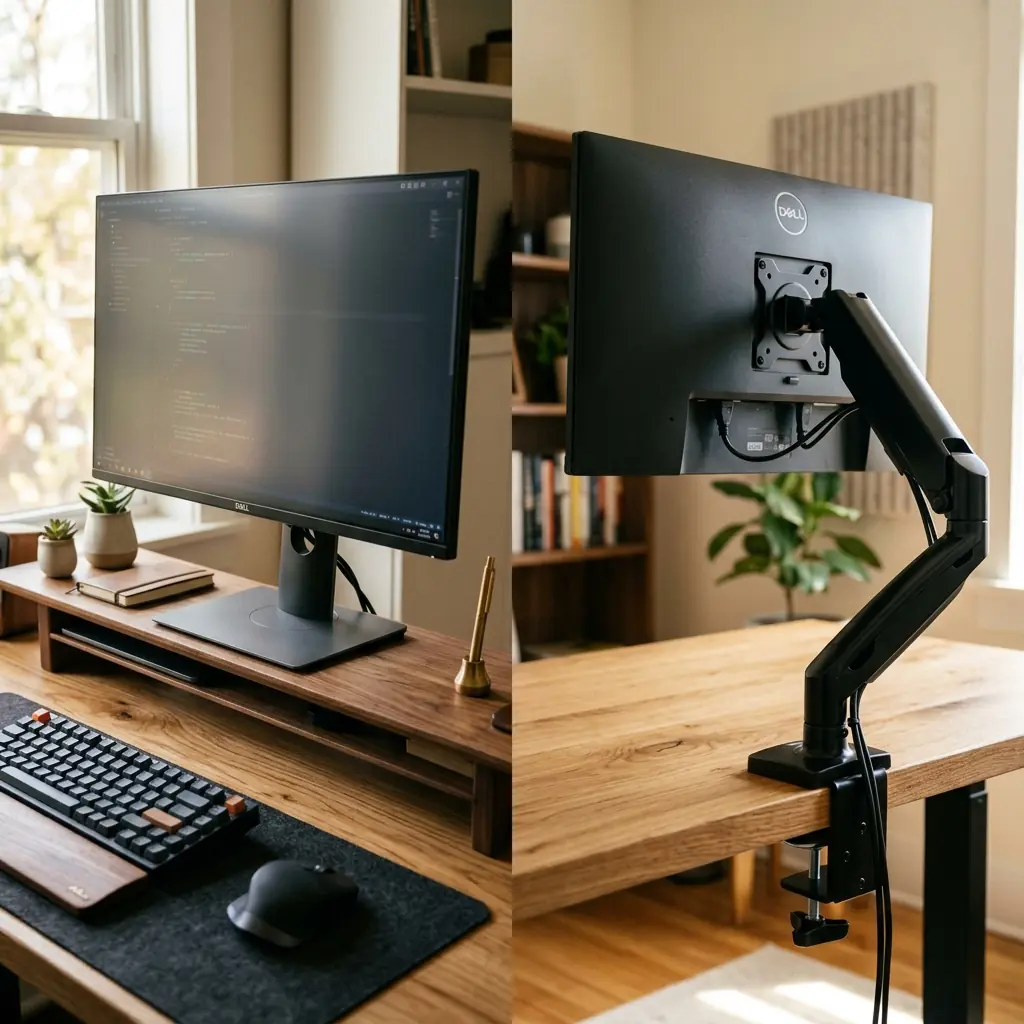
There is a fundamental rule in workspace design: never leave your monitor on its factory stand resting flat on your desk. Doing so guarantees that your screen will sit too low, forcing your cervical spine into a forward-leaning “turtle” posture that causes chronic neck and shoulder pain.
To fix this, you must elevate your screen. This leads to the classic dilemma of desk shelf vs monitor arm. A desk shelf (often made of premium wood or aluminum) acts as a physical riser, adding a second tier to your desk. A monitor arm (a mechanical bracket clamped to the back of the desk) suspends your screen in mid-air.
While both solutions achieve the primary goal of elevating your display to eye level, they solve very different secondary problems. A desk shelf organizes physical clutter, while a monitor arm reclaims pure surface area and offers infinite ergonomic adjustments. In this guide, I will break down the pros and cons of each, and explain why the ultimate setup actually uses both.
The Desk Shelf: Organization and Aesthetics
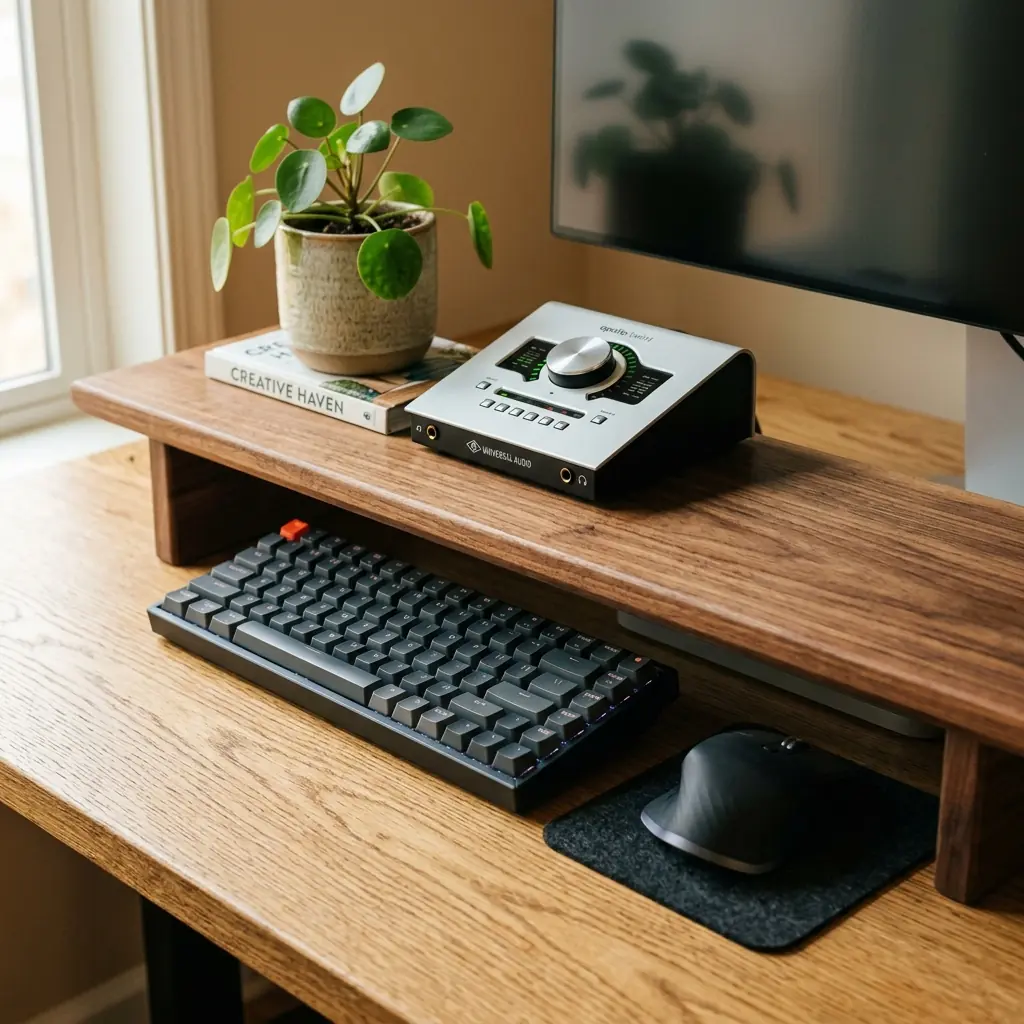
A desk shelf is essentially a miniature bench that sits on top of your main desk. Popularized by brands like Grovemade and Balolo, these shelves are typically constructed from solid hardwood (walnut or oak) with metal or cork legs. Your monitor, resting on its factory stand, is simply placed on top of the shelf.
Pros of a Desk Shelf
- The “Garage” Storage — The defining feature of a desk shelf is the cavernous space it creates underneath. At the end of the day, you can slide your mechanical keyboard, mouse, and notebook under the shelf, instantly returning your desk to a clean, blank slate.
- Zone Definition — A shelf creates a dedicated physical zone for small items that normally clutter a desk. It acts as a pedestal for audio interfaces, small plants, DACs, and knick-knacks, keeping them out of the primary working area.
- Warm Aesthetics — From a purely visual standpoint, a solid walnut shelf adds organic warmth and architectural layering to an otherwise flat desk surface. It looks incredibly premium.
Cons of a Desk Shelf
- Static Height — A desk shelf typically raises your monitor by a fixed 4 to 5 inches. If that specific height does not perfectly align the top bezel of your monitor with your eyes, you have no way to adjust it.
- Loss of Depth — Desk shelves are usually 9 to 11 inches deep. While they create vertical storage, they consume significant horizontal depth. If your desk is shallow (under 24 inches deep), a shelf will push your keyboard dangerously close to the front edge.
The Monitor Arm: Pure Ergonomics
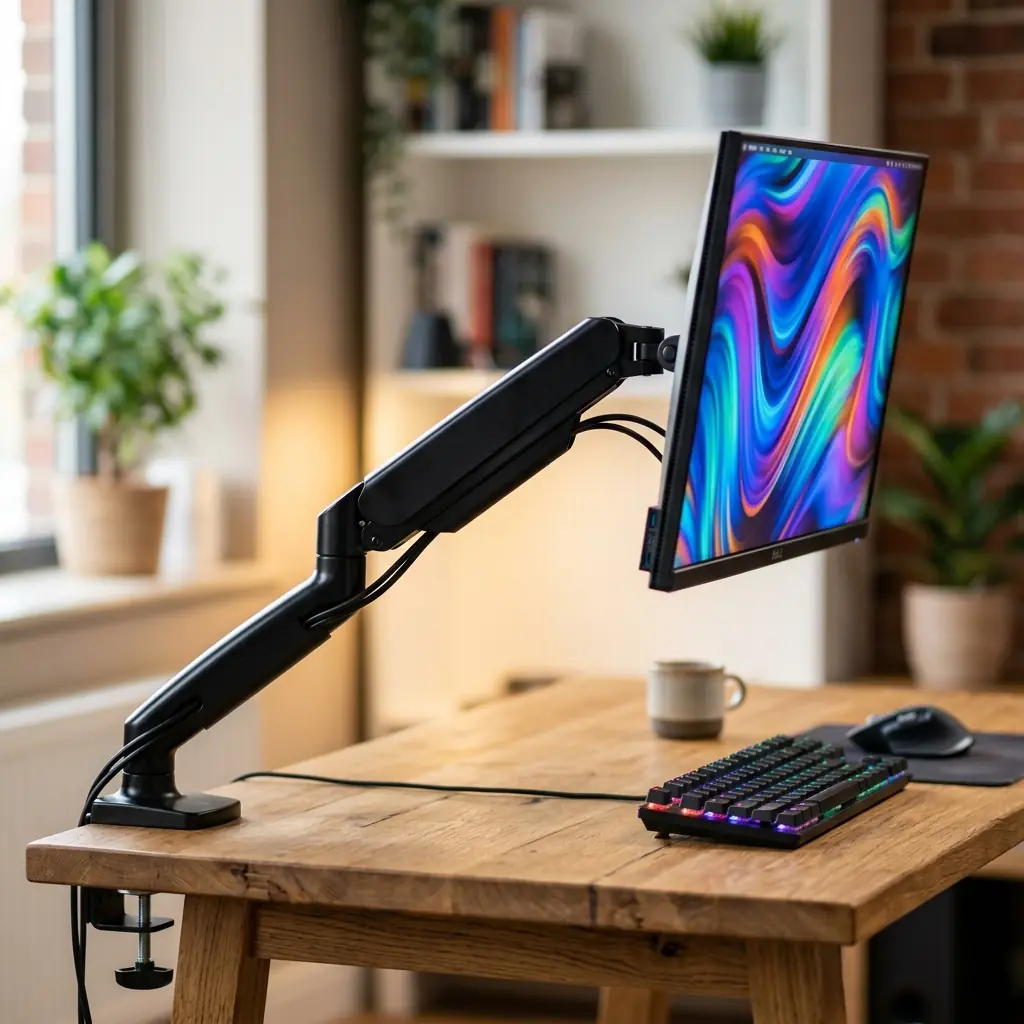
A monitor arm is a heavy-duty mechanical bracket featuring gas or coil springs. It clamps to the back edge of your desk (or mounts through a grommet hole) and attaches to the back of your monitor via a standard VESA plate, allowing the screen to float.
Pros of a Monitor Arm
- Infinite Micro-Adjustability — This is the ultimate ergonomic weapon. You can raise, lower, tilt, pan, and rotate your monitor with millimeter precision. As your posture shifts throughout the day (especially if using a standing desk), you can instantly adjust the screen to maintain perfect eye level.
- Reclaiming the Desk Surface — Factory monitor stands are massive, often consuming a 10×10 inch square of premium desk space directly in front of you. A monitor arm eliminates this footprint entirely, leaving the space beneath the screen 100% empty for blueprints, notebooks, or a cork desk mat.
- Multi-Monitor Support — If you run dual or triple monitors, attempting to fit multiple factory stands on a desk (or a shelf) creates a chaotic, cramped environment. Dual monitor arms handle this effortlessly.
Cons of a Monitor Arm
- No Added Storage — Unlike a desk shelf, a monitor arm provides zero organizational help for your loose accessories.
- Installation and Compatibility — You must ensure your desk is strong enough to handle the clamping force (cheap hollow-core IKEA desks can crush under the weight), and your monitor must be VESA compatible.
Head-to-Head: Which Should You Buy?

You should buy a Monitor Arm if: Your primary goal is ergonomic health. If you suffer from neck pain, the ability to fine-tune your monitor height is non-negotiable. It is also the correct choice if you use a shallow desk and cannot afford to lose 10 inches of depth to a wooden shelf.
You should buy a Desk Shelf if: You use a laptop as your primary screen and just need a place to tuck your external keyboard away, or if you already have perfect posture with your monitor on its factory stand but desperately need a way to organize small desk clutter.
The Ultimate Solution: Use Both
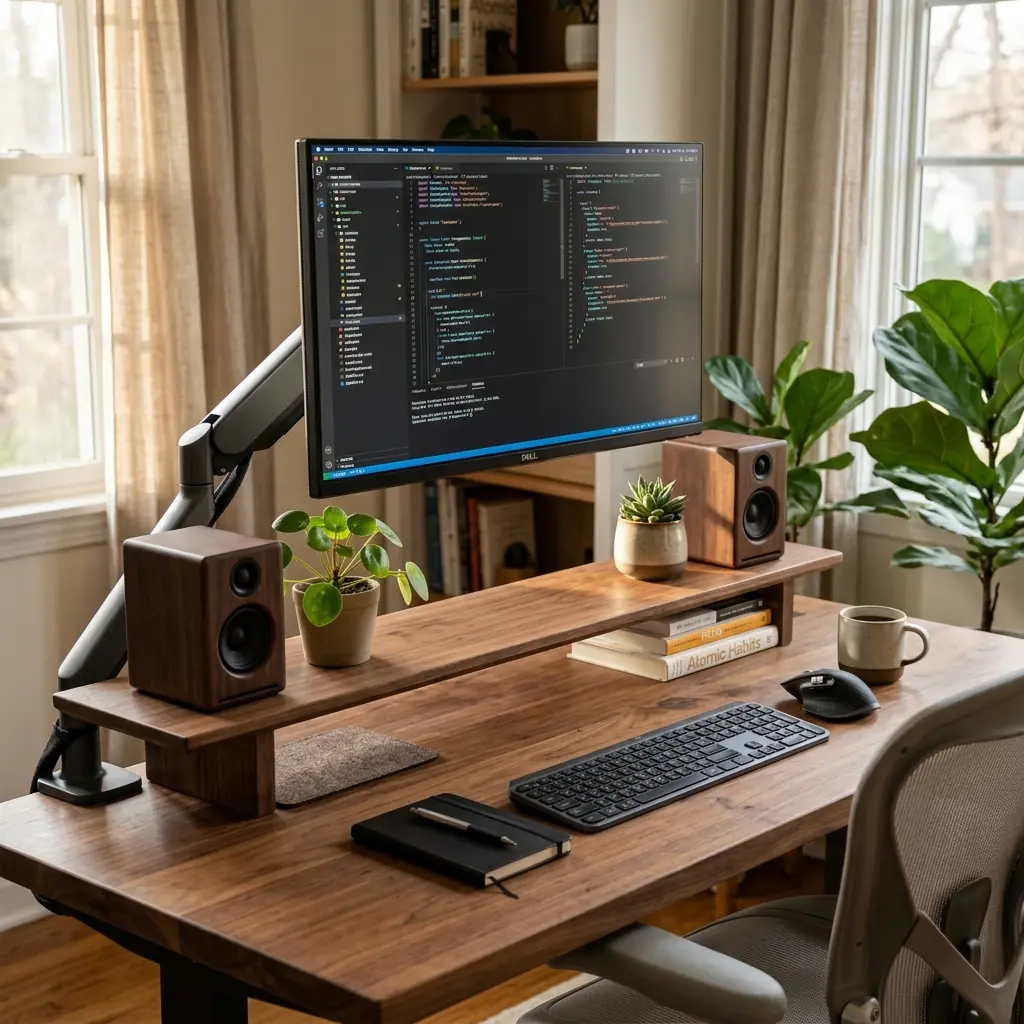
For the truly obsessed, the debate of desk shelf vs monitor arm is a false dichotomy. The most premium, functional desk setups actually utilize both simultaneously.
By clamping a monitor arm to the back of your desk, you achieve the infinite ergonomic adjustability and perfect eye-level alignment required for long-term health. Then, by placing a desk shelf underneath the floating monitor, you gain the “garage” storage for your peripherals and the beautiful, warm aesthetic of solid wood.
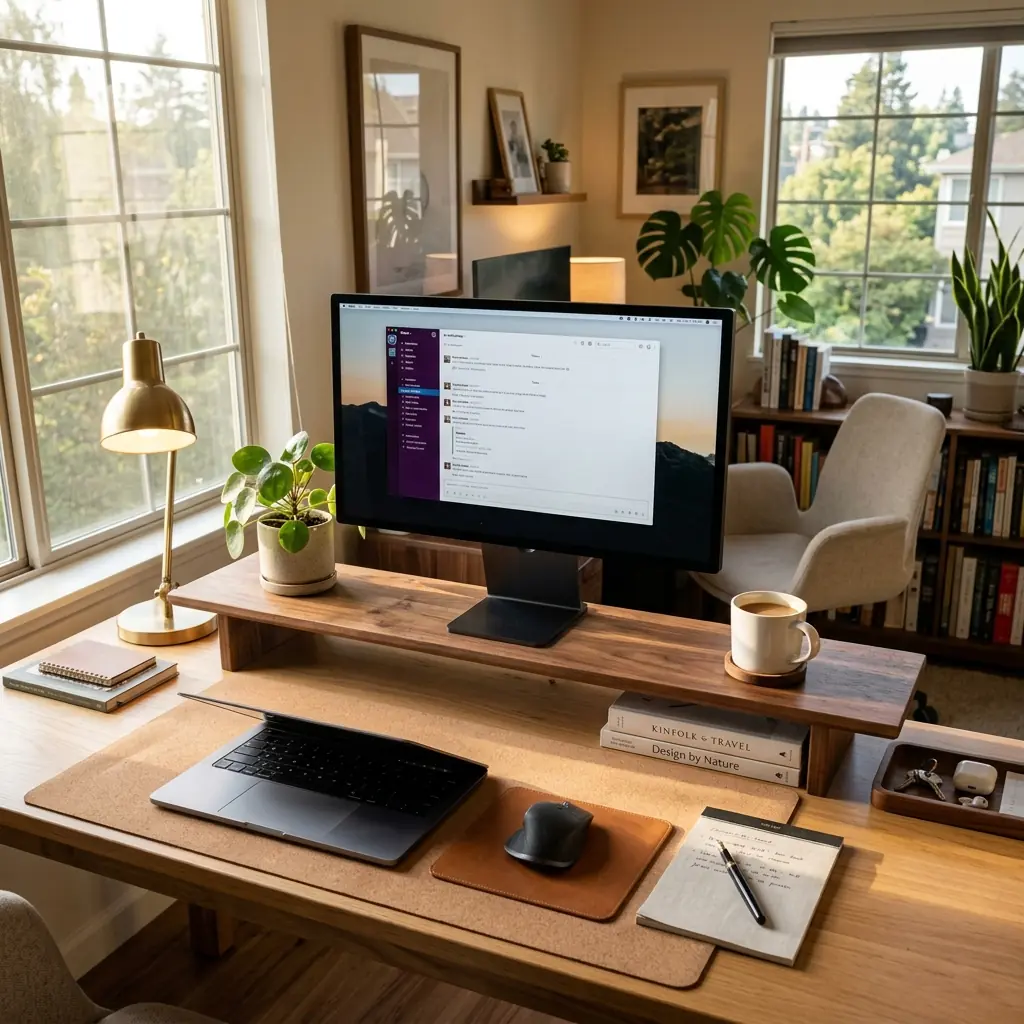
This combined approach gives you the best of both worlds: biomechanical perfection and uncompromising physical organization. For a step-by-step guide on how to safely install an arm and align it with your seating position, read our complete monitor arm setup guide.
While a desk shelf provides static elevation, a gas-spring adjustable single monitor arm allows instant depth and height calibration to completely eliminate forward neck hunching.
Part of TidySetup’s comprehensive resource series: explore our master Ergonomic Workstation Alignment Master Guide for complete workstation benchmarks.