








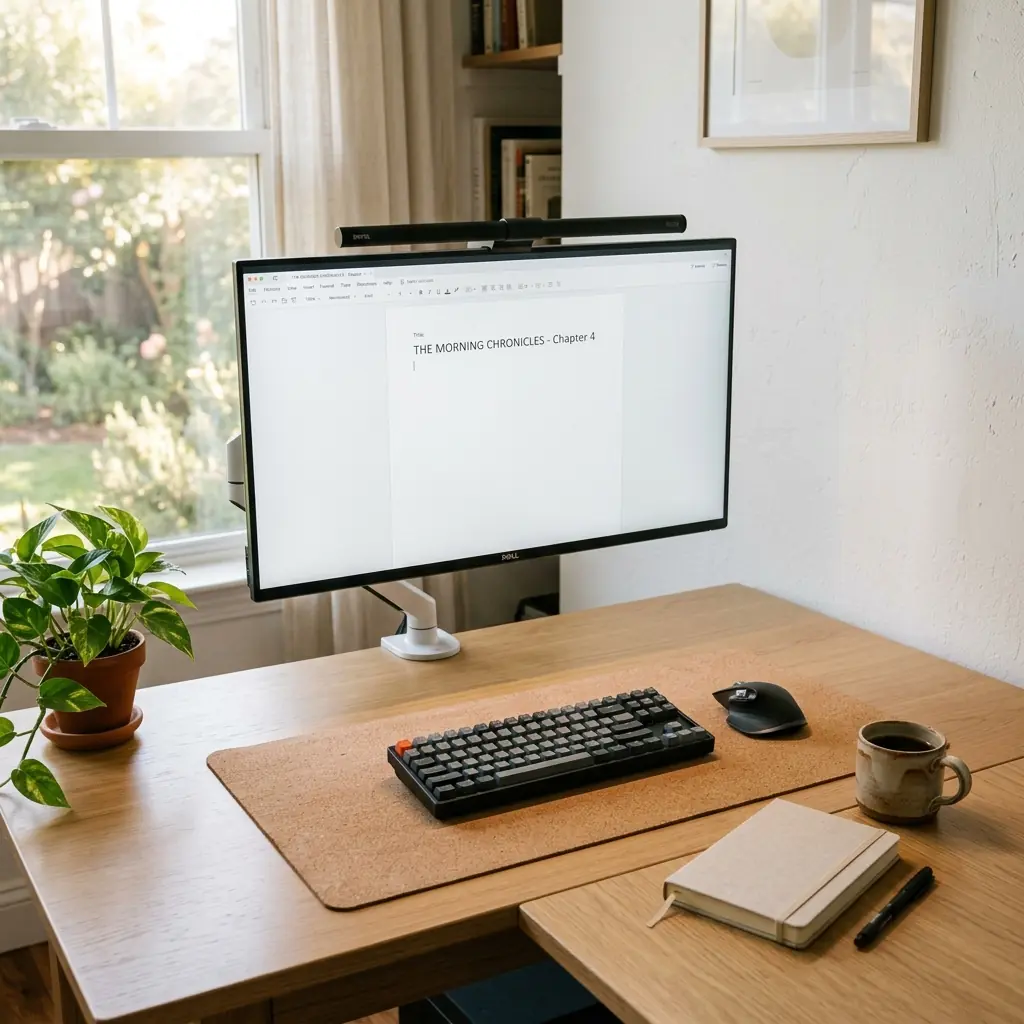
For writers, the desk is more than a workstation; it is the physical environment where deep focus either flourishes or fails. Writing requires sustained, uninterrupted concentration, which means any physical discomfort or visual distraction acts as friction against the creative process. If your wrists ache after an hour of drafting, or your neck tightens from looking down at a laptop, the environment is actively working against your flow state.
An ergonomic desk setup for writers prioritizes two things: the physical protection of your wrists and neck during high-volume typing, and the psychological protection of your focus through deliberate minimalism. A clean, well-structured environment signals to your brain that it is time to work. If you are building this environment from scratch, the TidySetup Starter Kit provides the essential ergonomic foundation for a distraction-free space.
In this guide, I will detail how to optimize your desk specifically for the demands of writing: keyboard positioning for high-volume typing, monitor setup for reading and drafting, desk minimalism for focus, and the environmental factors that protect your flow state.
The Ergonomic Demands of Writing
Unlike graphic designers who alternate between tools, or developers who split focus across multiple monitors, a writer’s physical interaction with their desk is remarkably static. The hands remain on the keyboard, and the eyes remain fixed on a single document for long, unbroken stretches. This static posture is what makes writing so physically demanding on the wrists, forearms, and cervical spine.
“A writer’s ergonomic setup must prioritize neutral wrist alignment above all else, as the repetitive strain of drafting tens of thousands of words is the most direct threat to a writer’s long-term physical comfort.”
The Writer’s Ergonomic Risk Profile
- Wrists and forearms — Highest risk area; continuous typing without neutral alignment leads to carpal tunnel and repetitive strain injuries.
- Neck and cervical spine — Drafting on a laptop at desk height forces sustained forward head posture, causing deep muscular tension.
- Eyes — Staring at high-contrast black text on a bright white background accelerates digital eye strain.
- Cognitive fatigue — Visual clutter on the desk surface demands subconscious attention, depleting the mental reserves needed for deep work.
How to Position Your Keyboard for High-Volume Typing
The keyboard is the writer’s primary tool, and its position dictates the health of your hands, wrists, and forearms. The most common mistake writers make is using the kickstands on the back of their keyboard to angle the back edge upward. This positive tilt forces the wrists into extension (bending upward), which significantly increases pressure on the carpal tunnel during typing.

Keyboard Placement Rules for Writers
- Keep the keyboard flat or use a negative tilt — The keyboard should lie perfectly flat on the desk, or tilt slightly away from you (negative tilt). This keeps your wrists in a neutral, straight alignment.
- The 90-degree elbow rule — Position your chair height and desk height so your elbows rest comfortably at 90 to 100 degrees while your fingers are on the home row.
- Float your wrists while typing — Do not rest your wrists on the desk or a wrist pad while actively typing. Your hands should float over the keys, moving from the shoulder rather than pivoting at the wrist. Use wrist rests only during pauses.
- Use a compact keyboard (TKL or 65%) — A keyboard without a numeric keypad allows you to place your mouse closer to your body, reducing the reach distance and protecting your shoulder from internal rotation.
For more specific guidance on angles and distances, see our ergonomic keyboard placement guide.
Monitor Setup for Reading and Drafting
If you are writing on a laptop placed flat on a desk, you are forcing your neck to support the weight of your head at a steep downward angle. This is the primary cause of the “writer’s hunch” and chronic neck pain. The solution is to separate the keyboard from the screen.

Monitor Positioning for Writers
- Raise the screen to eye level — The top third of your document should be directly at your seated eye level. If you use a desktop monitor, mount it on a monitor arm. If you write exclusively on a laptop, use a laptop stand to elevate the screen and connect an external keyboard.
- Viewing distance: 20 to 30 inches — Position the screen roughly an arm’s length away. This distance is optimal for eye convergence and reduces strain.
- Use an adjustable monitor arm — A monitor arm allows you to quickly adjust the height and depth of your screen to match subtle shifts in your posture throughout the day. It also frees up desk space beneath the monitor.
For a detailed breakdown of monitor arm installation, refer to our monitor arm setup guide.
The Power of a Minimalist Desk Surface
A writer’s desk should be an environment of deep intentionality. Every object on your desk that is not actively contributing to your writing is a subtle distraction, pulling at your subconscious attention. Clutter is the enemy of the flow state.

The Writer’s Desk Organization System
Keep your active workspace ruthlessly minimal. A cork desk mat provides a defined boundary for your work zone. Within that boundary, keep only what you need:
- Your keyboard and mouse.
- A single notebook and pen for capturing stray thoughts or outlines.
- Your beverage of choice.
Everything else—reference books, sticky notes, extra pens, mail—should be stored in drawers or on shelves out of your immediate line of sight. Managing your cables is a crucial part of this minimalism. A tangle of charging cords is visual noise. Use an under-desk cable tray to hide power strips and route monitor cables out of sight. Our desk cable management guide explains how to achieve a zero-visible-cable setup.
Creating a Focus Environment
Ergonomics extends beyond physical posture to the environmental factors that impact your focus: lighting, acoustics, and air quality.
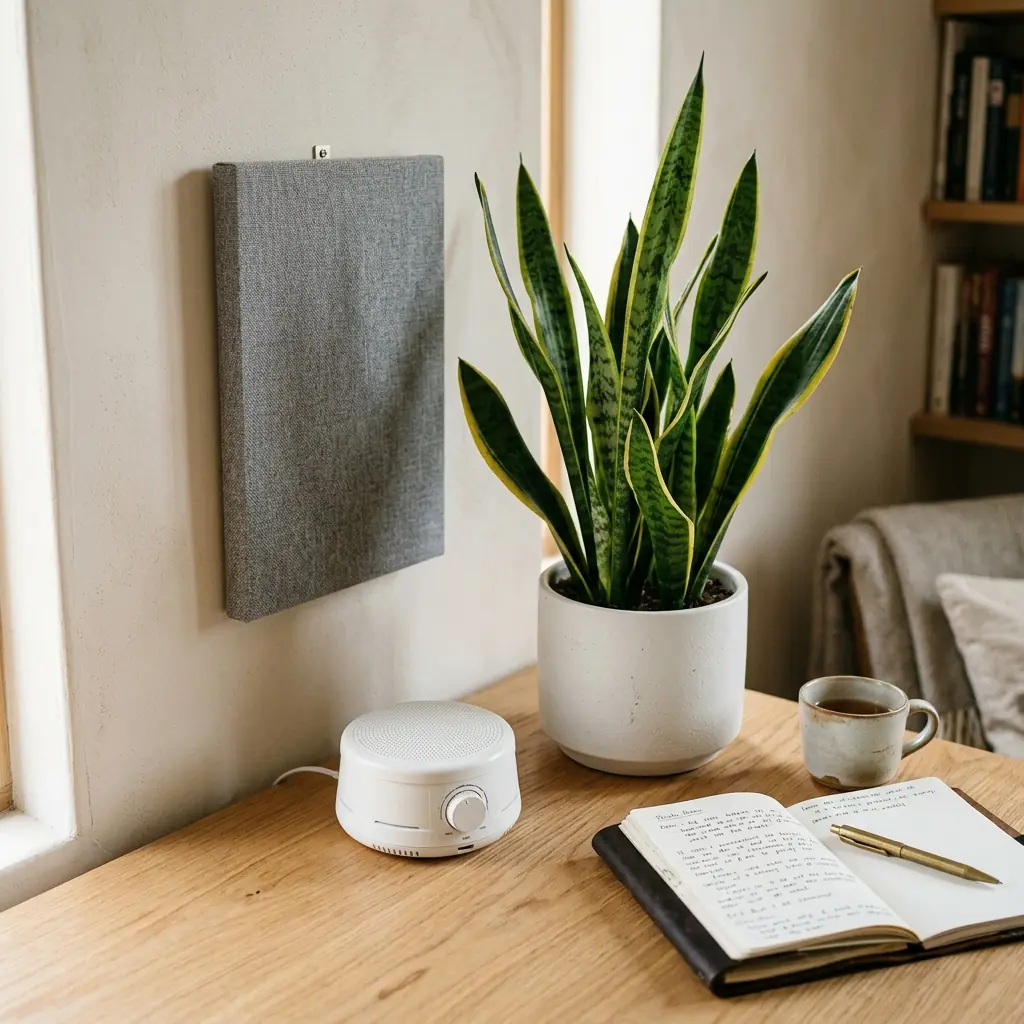
Lighting for Eye Comfort
Staring at a white document on a bright screen in a dark room causes severe eye strain due to the contrast. To mitigate this:
- Use a monitor light bar — This provides warm, even illumination across your desk surface without casting glare on the screen.
- Match ambient light to screen brightness — Adjust your room lighting or window blinds so the brightness of the room roughly matches the brightness of your display.
- Apply the 20-20-20 rule — Every 20 minutes, look at an object 20 feet away for 20 seconds to relax your eye muscles.
Acoustics for Concentration
Sudden noises break concentration instantly. If you write in a noisy home or an open-plan environment, acoustic management is essential.
- White noise — A small white noise machine or a dedicated app playing continuous ambient sound (like rain or brown noise) masks unpredictable background noises.
- Acoustic panels — Mounting a fabric-wrapped acoustic panel on the wall behind your monitor reduces sound reflection and creates a quieter, more intimate acoustic space.
For more on optimizing your lighting and acoustics, explore our complete workspace environmental design guide.
The Complete Ergonomic Desk Setup for Writers: Step-by-Step
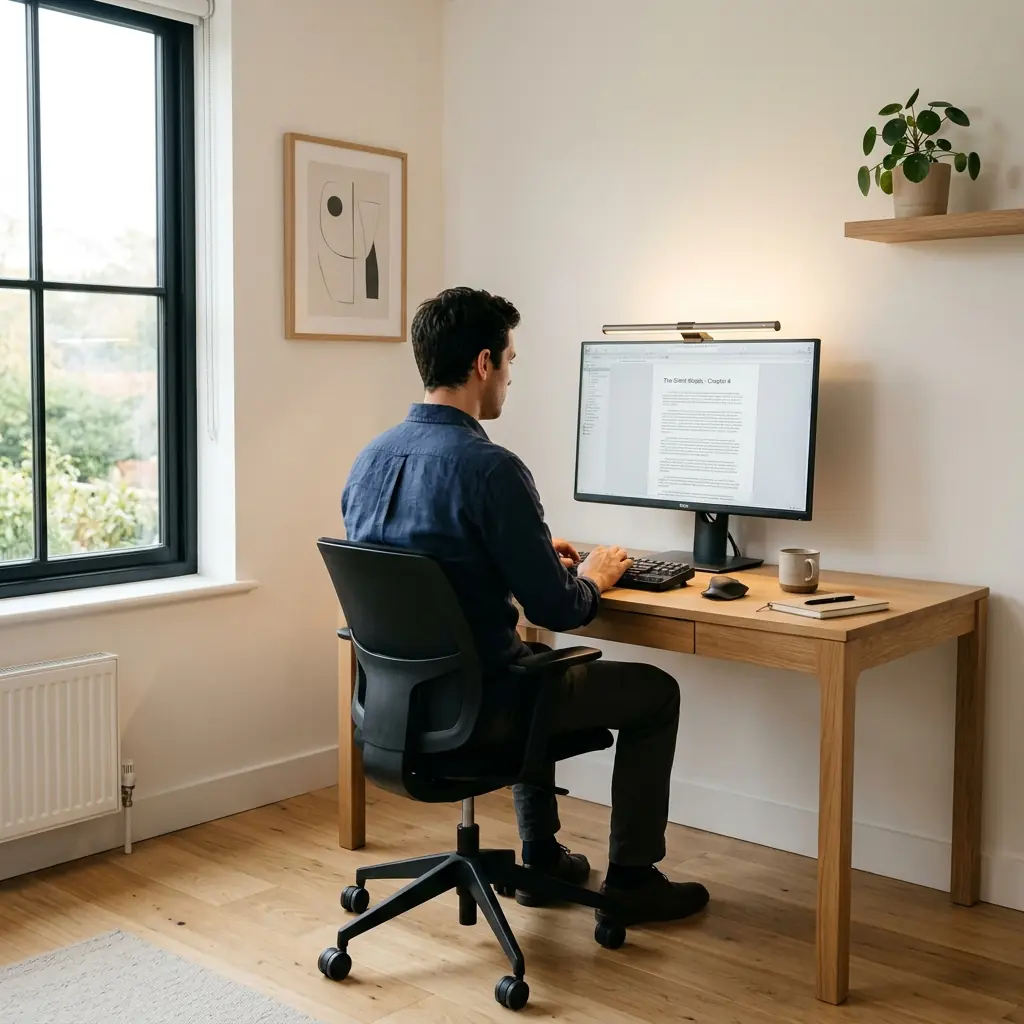
- Set desk and chair height — Adjust your chair so your feet are flat on the floor, and your desk so your elbows are at 90 degrees when typing.
- Position the monitor — Use a monitor arm or laptop stand to elevate the top of your screen to eye level, 20 to 30 inches away.
- Flatten the keyboard — Retract the keyboard kickstands. Place the keyboard flat on a cork desk mat.
- Clear the desk surface — Remove everything except your keyboard, mouse, a notebook, and a pen.
- Manage cables — Route all cords into an under-desk cable tray.
- Optimize lighting — Add a monitor light bar and balance ambient room light with screen brightness.
- Manage sound — Use a white noise machine or noise-canceling headphones to mask distractions.
Frequently Asked Questions
Should a writer use a mechanical keyboard?
Many writers prefer mechanical keyboards because the tactile feedback confirms keystrokes, which can increase typing speed and accuracy. However, the ergonomic benefit comes from the keyboard’s placement—flat on the desk with elbows at 90 degrees—rather than the switch type. A compact (TKL or 65%) layout is highly recommended to keep the mouse closer to the body.
Do writers need multiple monitors?
Typically, no. A single monitor helps maintain focus on the current draft. While multiple monitors can be useful for keeping research or outlines visible, they require lateral neck rotation. For most writers, a single screen, combined with efficient window management (or split-screen views), is ergonomically and psychologically superior for deep work.
How can I avoid wrist pain from writing all day?
To prevent wrist pain, ensure your keyboard is perfectly flat (no positive tilt), float your hands above the keys while typing rather than resting your wrists on the desk, and maintain a 90-degree bend at your elbows. Take frequent short breaks to stretch your forearms and hands.
Is writing on a laptop ergonomically safe?
Writing directly on a laptop placed flat on a desk is not ergonomically safe for prolonged periods. It forces you to look down, causing neck strain. To make a laptop setup ergonomic, place the laptop on an elevated stand to bring the screen to eye level, and connect an external keyboard and mouse.
Conclusion
Your writing desk is the physical foundation of your creative output. By prioritizing neutral wrist alignment, raising your screen to eye level, and ruthlessly minimizing visual clutter, you create an environment that supports long hours of drafting without physical pain or mental distraction. An ergonomic desk setup for writers is an investment in your focus, your comfort, and your long-term ability to do the work.
To understand how these principles fit into the broader context of workspace design, review our complete ergonomic desk setup guide.
Writers who prefer a clutter-free visual plane can run their notebook in clamshell mode docked in an aluminum vertical laptop stand connected to a distraction-free external monitor.
Part of TidySetup’s comprehensive resource series: explore our master Ergonomic Workstation Alignment Master Guide for complete workstation benchmarks.